CRM KitsHandyman services
Every small job listed. Estimated. Done in one visit.
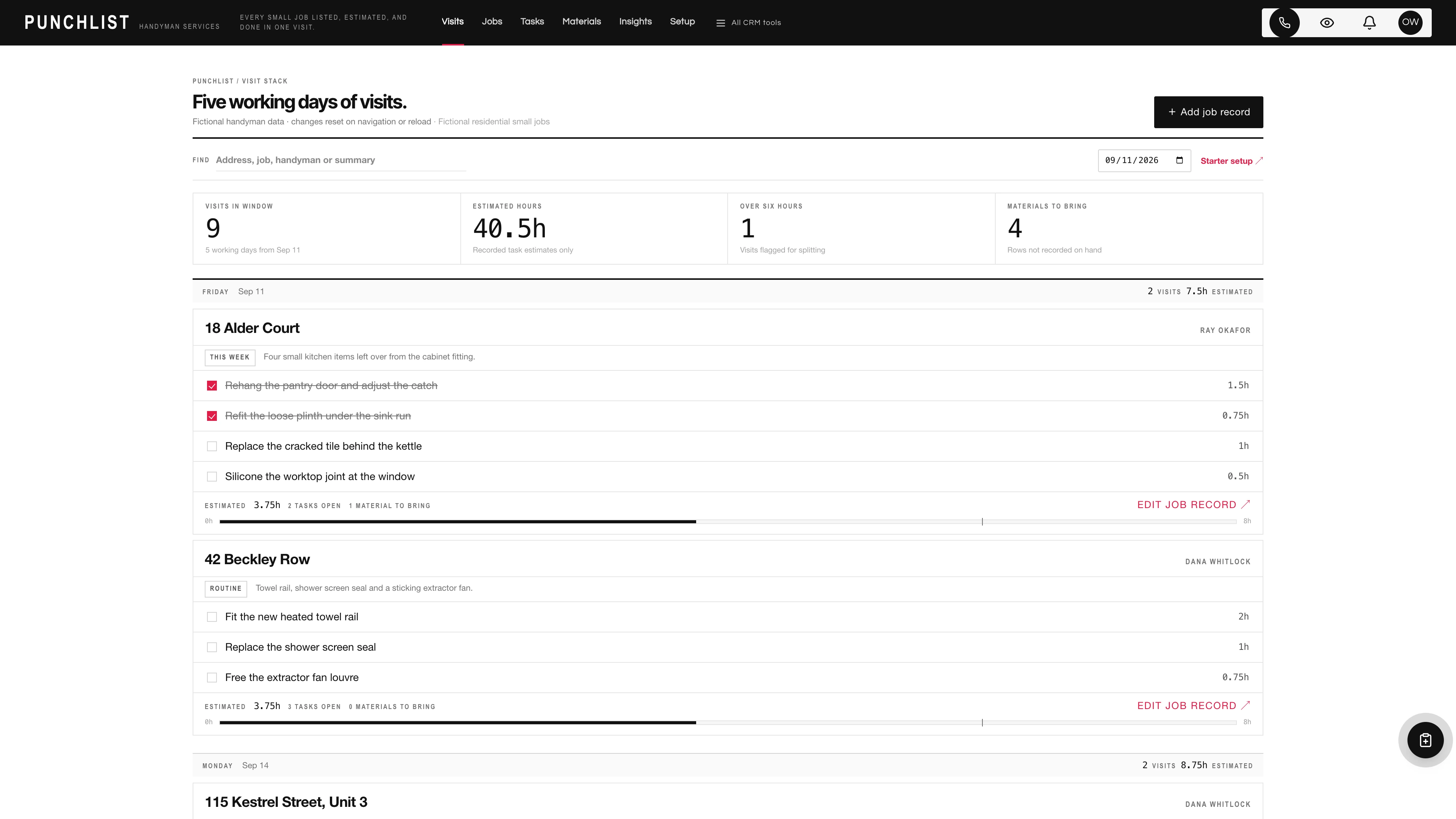
A handyman does not sell one large job. He sells eleven small ones, and then has to decide which of them fit in one van trip to one address on one morning. The question is never which stage a deal is at. It is whether the list adds up to more hours than the day has. Punchlist puts the coming five working days in one vertical stack of wide cards: the address and the assigned handyman at the head, the individual small tasks inside with the hours somebody estimated beside each one, and a running total at the foot drawn against the length of a working day. A visit that has quietly grown past six hours is not a visit any more, and the card says so in words.
Five working days, top to bottom.
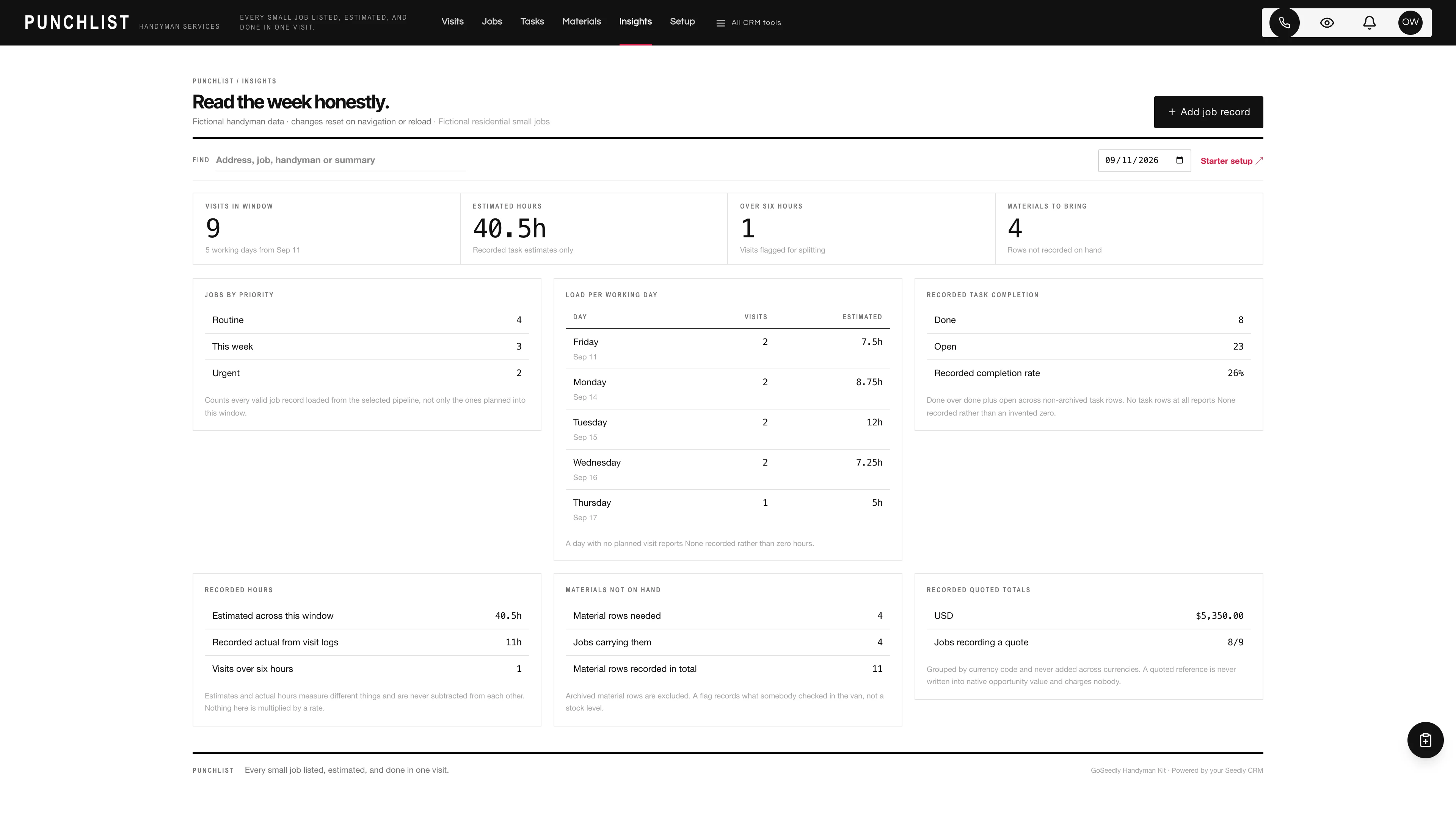
A day band for each of the next five working days carries the weekday, the date, the recorded visit count and the recorded estimated hours for that day. Under each band sit the visits planned for it as wide cards: the recorded address on the left, the recorded handyman on the right, the punch list inside, and the running total with its proportional hours bar at the foot.
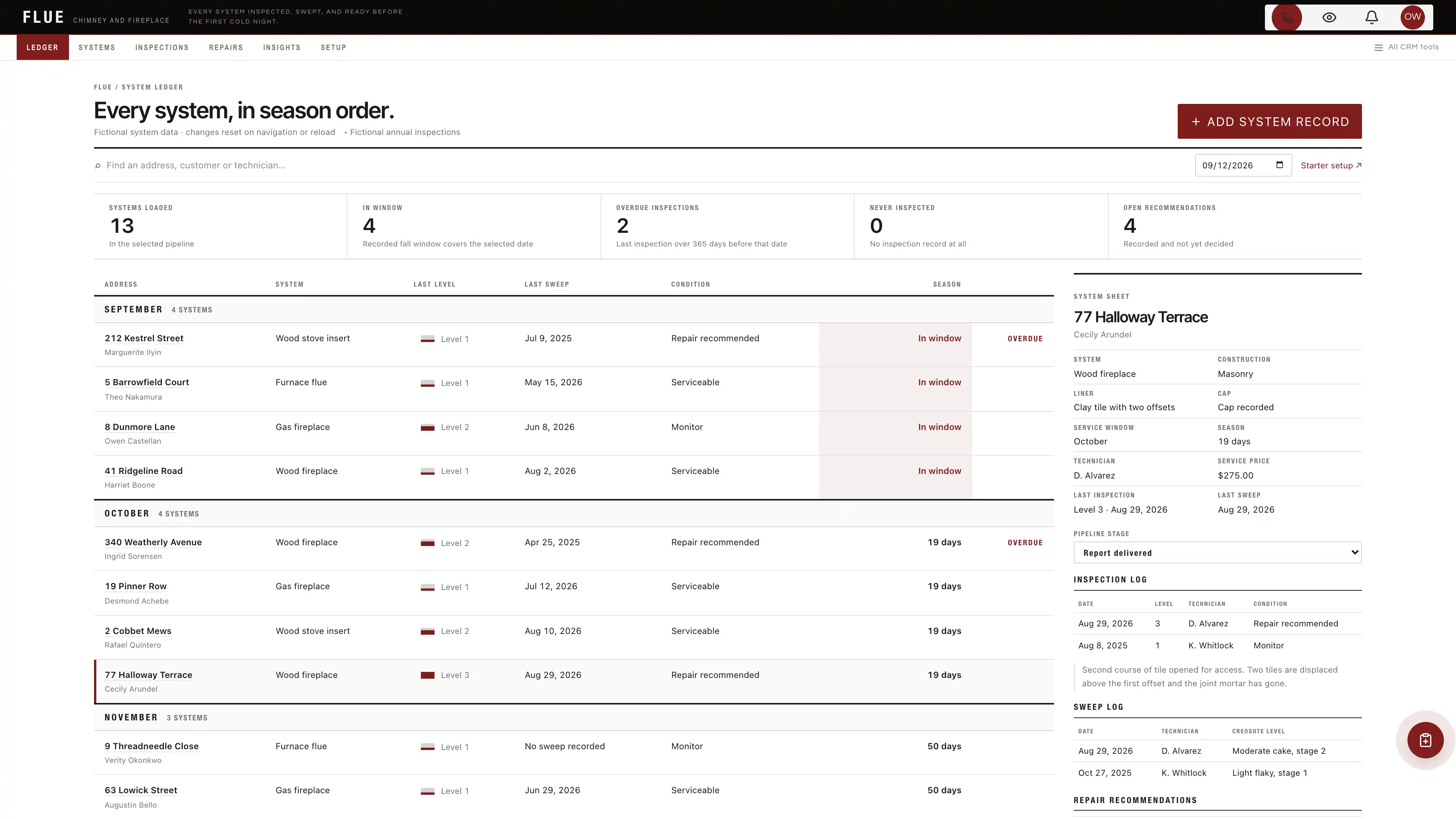
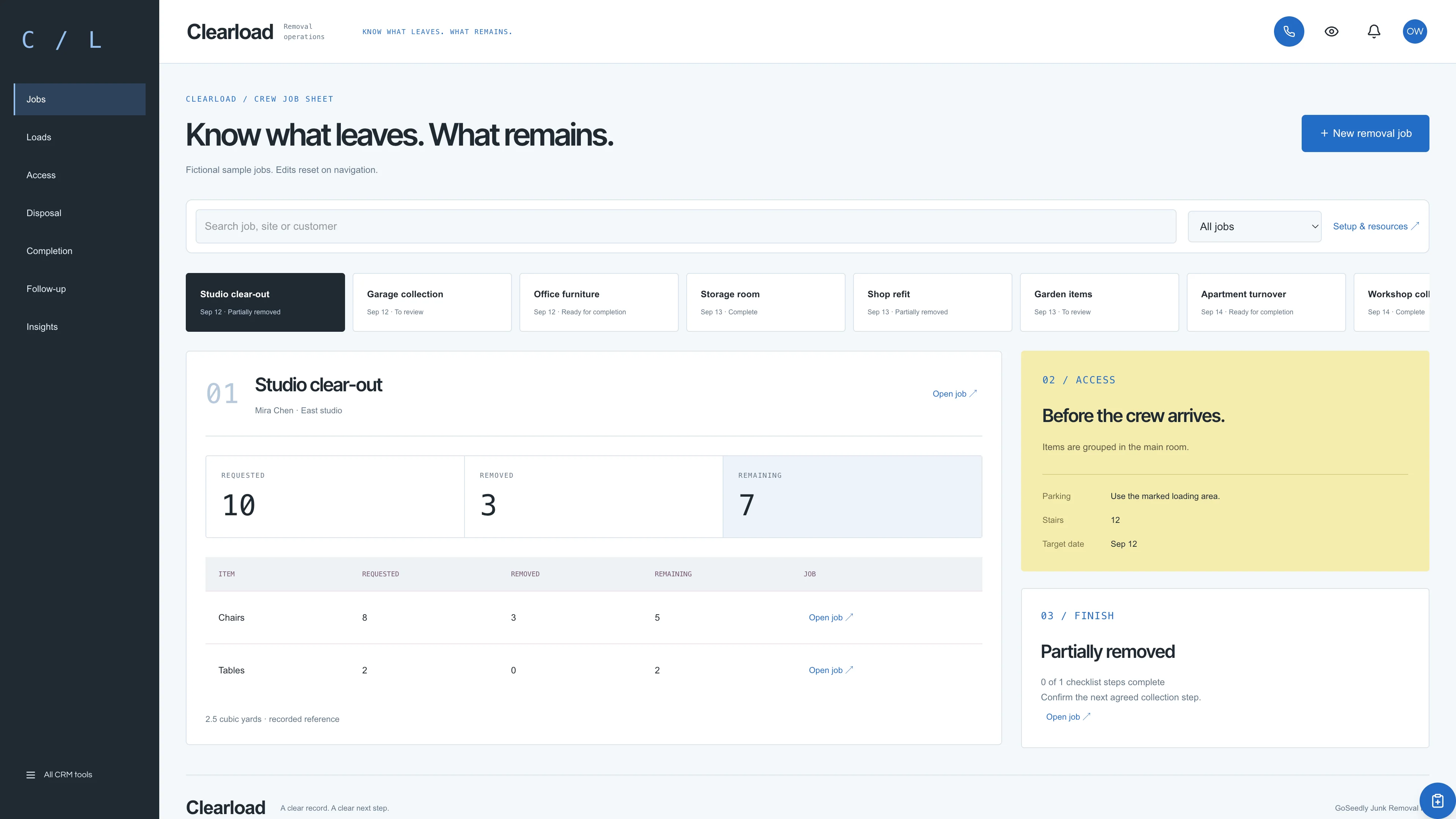
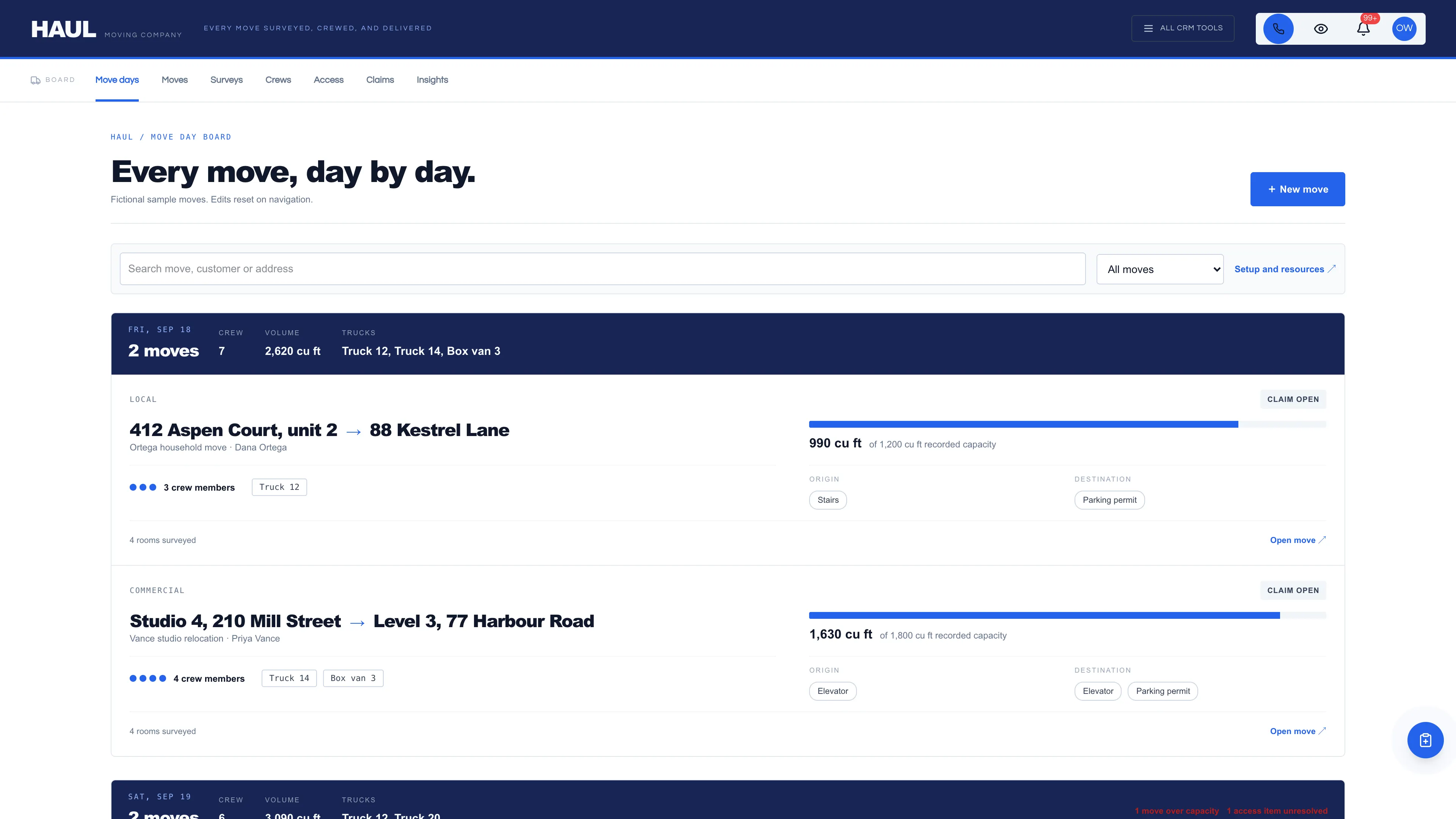
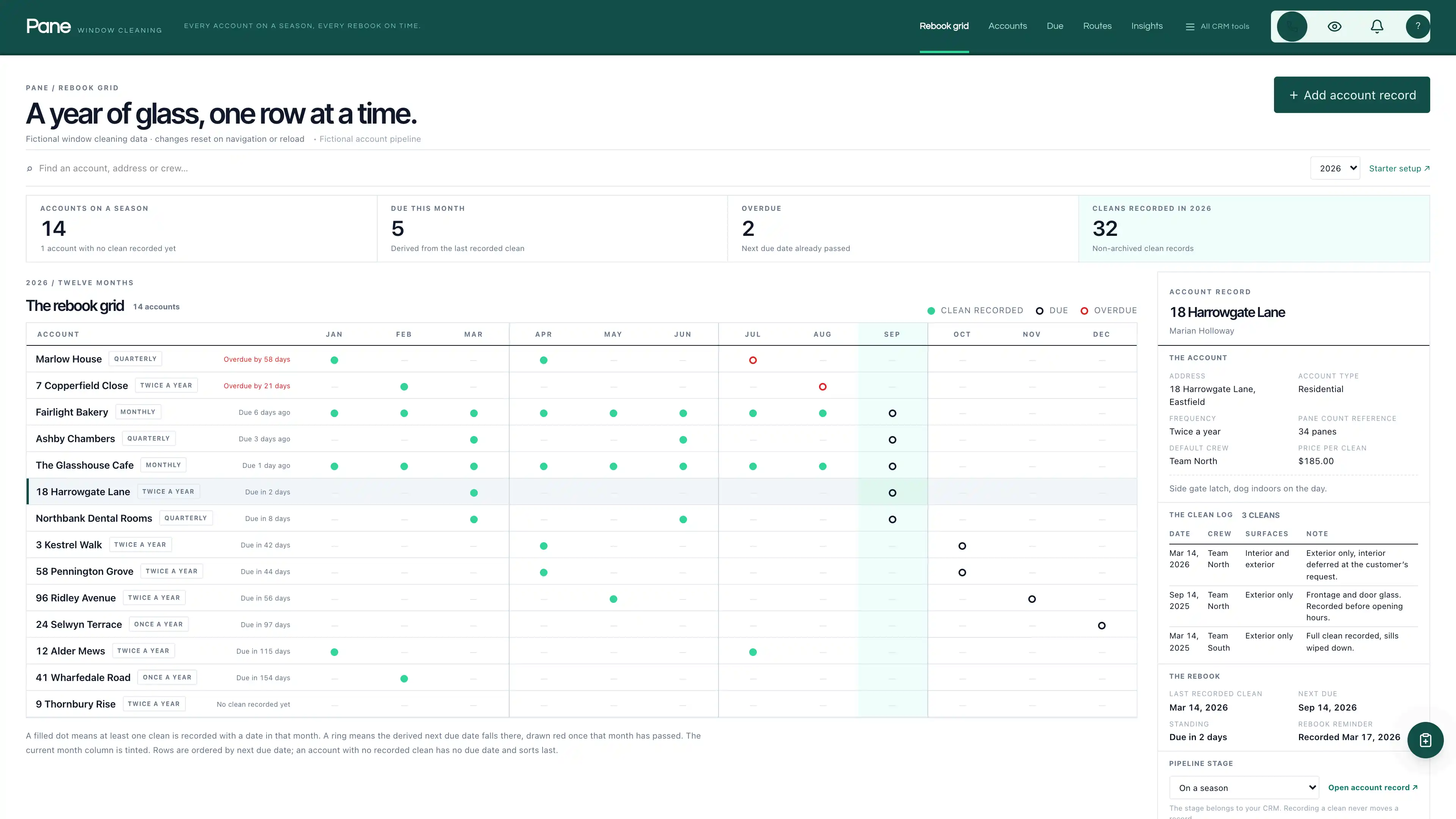
Actual interface captures with fictional sample data. Open a screenshot to see it full size.
What’s in the kit
Screens
- Five working day visit stack with wide cards, punch list rows and a running estimate per visit
- A proportional hours bar against an eight hour day with a tick at six, drawn purely in CSS
- The over six hours flag in words, so a visit that has grown into two is visible before the van leaves
- Checkbox glyphs and every other mark drawn in CSS: the pack ships no image, SVG, icon file or data URI
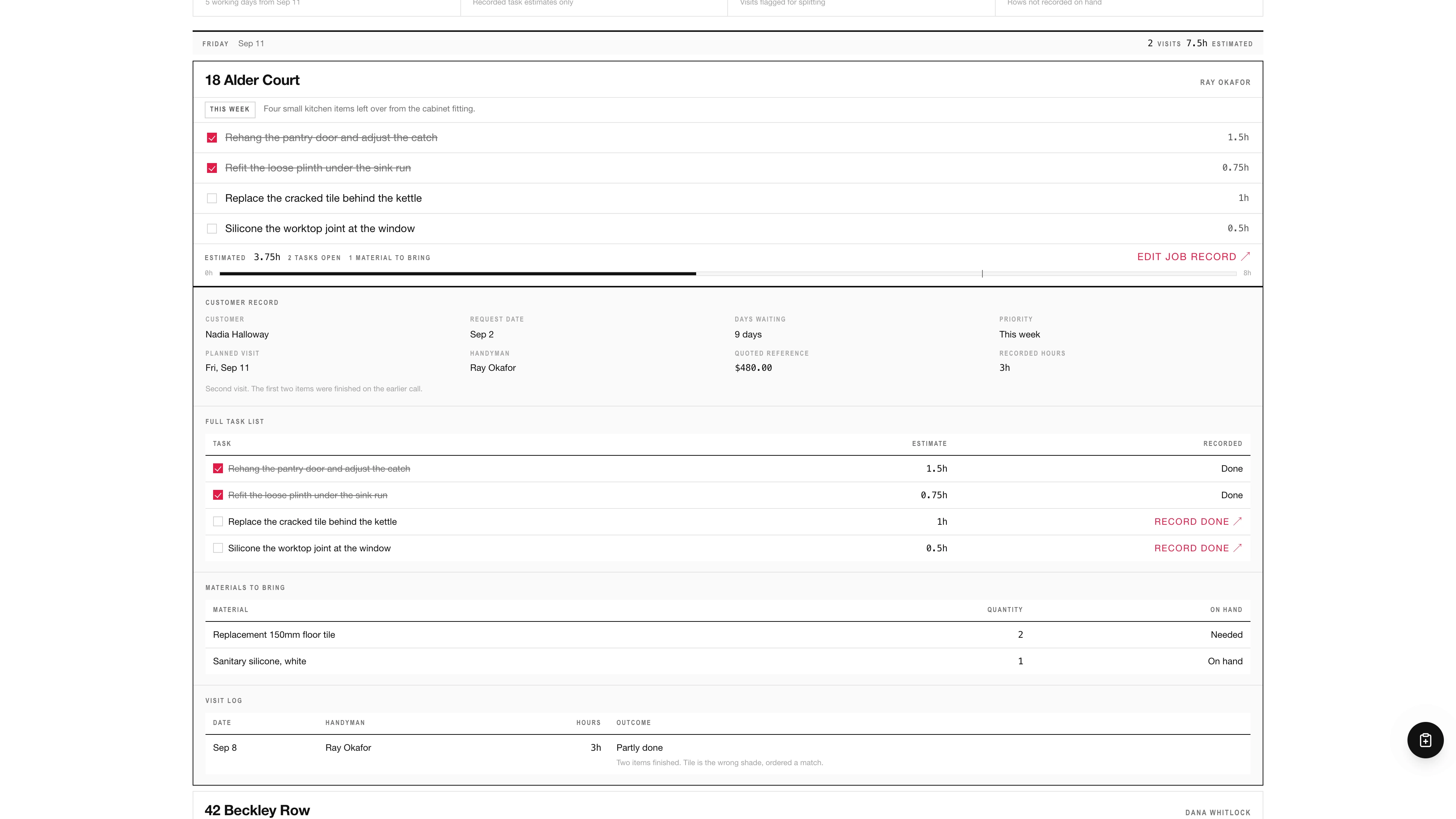
- Cards that expand in place into a customer record, full task list, materials to bring and visit log
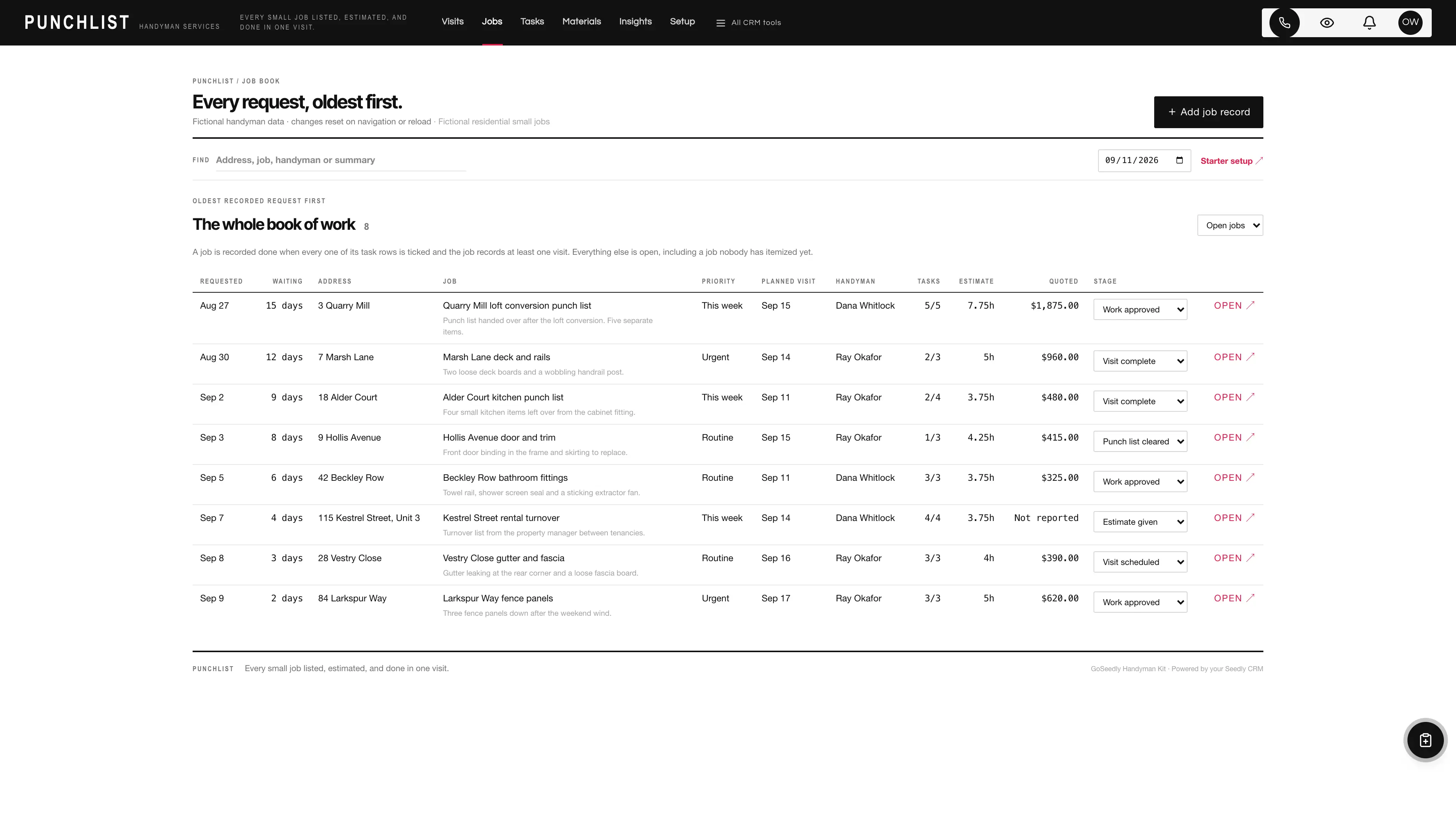
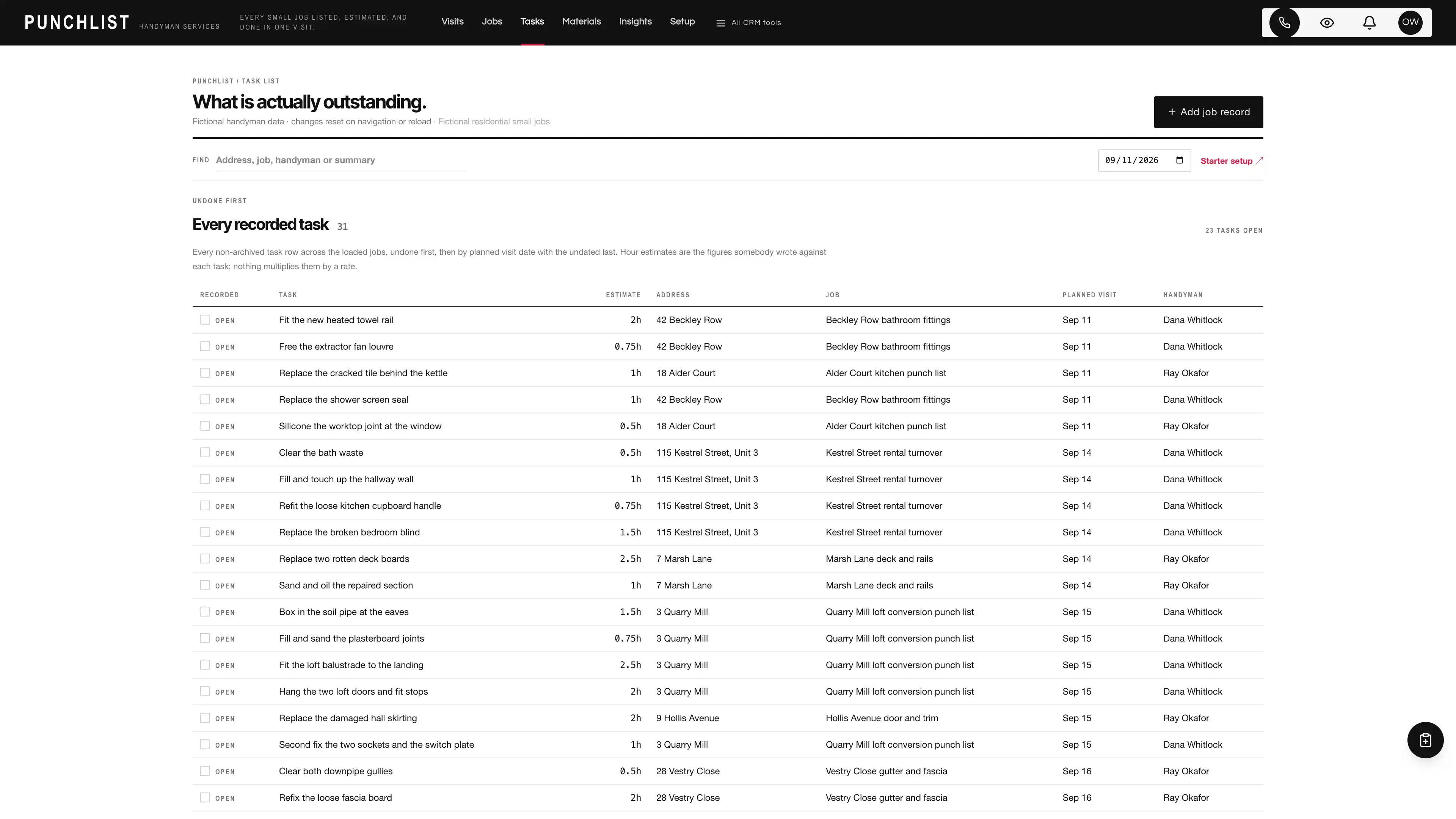
- Job book ordered by recorded request date with days waiting, plus cross-job task and material lists
- Archive-only task, material and visit rows with stable IDs, so nothing somebody recorded is ever erased
- Single black chrome bar over a white stacked canvas with full permission-filtered CRM tools
four pipelines
- Residential small jobs · 8 stages
- Property manager work orders · 7 stages
- Recurring maintenance visits · 7 stages
- Larger project quotes · 7 stages
Optional. Install the ones that match your work, or connect drafts to a pipeline you already use.
nine workflow drafts
- Request received task
- Estimate sent follow-up
- Materials check task
- Visit scheduled note
- Day-before reminder task
- Visit complete note
- Follow-up satisfaction task
- Quarterly maintenance reminder
- Quote follow-up
Inactive until you review and publish them. None send customer messages.
Sample workspace
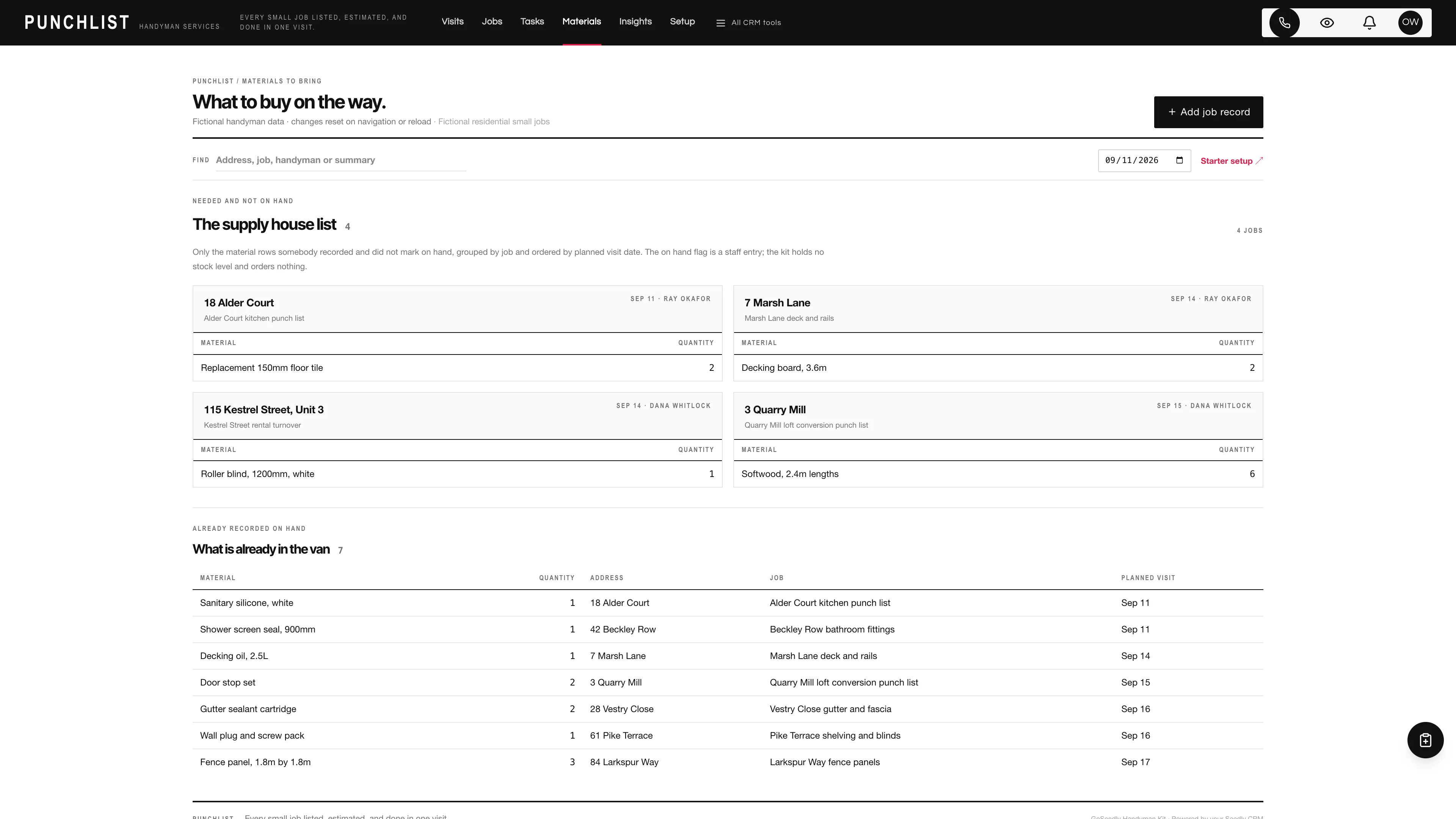
Explore nine fictional jobs planned across the five working days between two handyman labels, with thirty-one task rows and their hour estimates, eleven material rows of which four are not recorded on hand, and five recorded visits. One of the nine runs to 7.75 estimated hours, so the rose bar and the over six hours flag are visible without editing anything, and eight task rows are recorded done so the ticks and the struck labels both appear. Every sample date sits inside the window the stack always draws, whatever weekday you open it on. Example edits stay in the current page’s memory and reset on navigation or reload; sample jobs are never inserted into your CRM.
No sample customers are added to your CRM.
Setup and source
- Guided setup and compatibility report
- Private rollback receipt
- AI-agent guide for customized installations
- Original editable source, configuration, and tests
How setup works
Full installation guideCheck your Seedly
Extract the kit and run the guided setup. It checks your installation and flags customized files before it changes anything.
Connect the helper
Deploy the included helper from your backend source, then build your web app and choose any starter pipelines and drafts.
Make it yours
Set company name, descriptor, promise line, and default pipeline name. Then sign in and check the workflows and permissions your team uses.
Technical details and compatibility
Seedly CRM 5.8.4 · extension API 1. Node.js 20 or newer. The installer checks supported integration-file versions and does not deploy your web app or backend. The included original job helper is required for connected creation, editing and starter setup. It preserves native account permissions and unrelated custom fields, re-checks the quarter hour rule along with the handyman, request date and recorded-visit rules, and compares the current record state before saving. It exposes no stage mutation at all, so pipeline stages stay in your CRM’s own views under your existing roles. Deploy the helper from your authoritative backend source before connected edits. Pipeline presets and workflow drafts remain optional.
A job is a native contact-linked opportunity with a namespaced service address label, request summary, handyman label, recorded request and planned visit dates, priority, job notes, an immutable supported currency, and three archive-only child collections with stable IDs: task rows with a quarter hour estimate and a done flag, material rows with a whole quantity and an on hand flag, and visit rows with a date, a handyman label, recorded actual hours, an outcome and a note. The recorded quoted reference stays separate from native opportunity value. Other custom fields are preserved.
Every hour figure, both a task estimate and a recorded actual, must be a quarter hour from 0.25 to 24. A value that is not a multiple of a quarter hour is refused rather than rounded, because rounding somebody’s estimate is editing it, and quarter hours are exactly representable so a card total never drifts. Nothing multiplies an hour by anything: there is no hourly rate, labor rate table, price book, markup, margin or pricing advice anywhere in the kit. A job that has not been itemized reports No tasks recorded rather than zero hours and draws no bar at all. Evidence-based rules are identical on create and on save and re-checked by the server: a recorded handyman requires a recorded visit date, a visit date may not precede the recorded request date, and a task can only be recorded done once the job records a visit, because a punch list cannot tick itself. Three non-rules are deliberate: a visit log date is not constrained against the planned date because work slips and work gets pulled forward, two visit rows may share a date, and recorded actual hours are never constrained against the estimate. A recorded visit date and handyman label reserve nobody and create no calendar appointment; there is no scheduling engine, availability check, capacity model or calendar sync. A material’s on hand flag is a note about the van, not a stock level, and the kit orders nothing from anybody. There is no route optimization, GPS or drive time estimate, no invoicing or payments, no customer messaging of any kind, and no timekeeping or payroll. Totals are grouped by currency and never added across currencies. The pipeline stage stays your CRM’s own: the helper exposes no stage mutation at all, so ticking a task never moves a card and moving a card never ticks a task.
Four optional pipeline templates and nine inactive workflow drafts. Nine fictional in-memory jobs with 31 task rows, 11 material rows and five recorded visits.
Calling, messaging, signing, payments, and external integrations depend on your Seedly installation, account permissions, plan, and configured providers. Screenshots use sample data and reference imagery. Hosting, installation, and ongoing maintenance are your responsibility.
Get the Handyman Kit
Checking access…

DevLaunch All Access
Every kit and every template.
- All 220 CRM kits for Seedly CRM
- All 270 website templates for Seedly Sites
- Every class, course, and product we release, added as it ships
- Private calls with Aaron
Already a member? Open your downloads.
Questions
How do I receive the kit?
Purchase securely through Whop. Your original source ZIP and installation documentation are delivered manually to the email used at checkout. This is a one-time purchase of this kit; Seedly software, hosting, and installation services are separate.
Does this include Seedly CRM?
You obtain and configure Seedly separately. The kit adds original frontend screens, a shared theme, starter definitions, and integration instructions. It does not include Seedly’s codebase, license, hosting, or a separate CRM database.
Is this one connected workspace?
Punchlist keeps its handyman navigation in one chrome bar across the original stack views and native CRM modules. Full CRM tools remain available within the same signed-in account and application theme. Contacts, Calendar, Estimates, Documents, and other full modules retain the functionality supplied by your own Seedly installation. Existing authored content and provider screens retain their own layouts.
Can I use it with existing customizations?
Yes, with a compatibility review. The installer checks the supported integration files. Changed integration files need a reviewed merge; the included AI-agent guide explains how to preserve custom extensions, permissions, providers, and routes.
Do I have to import all the starter content?
No. Choose individual pipelines and workflow drafts, use a compatible existing pipeline, or install none. Workflows remain inactive until reviewed and published. They use native triggers, internal tasks, optional notes, and timed waits. A wait does not verify task completion or recheck the current stage. The included drafts do not send customer messages.
Can I remove the examples and starter content?
Sample records stay in memory and never create customers in your CRM. Leave sample mode to return to your account. Starter setup lets you review removal of unused kit additions; server checks retain edited or published workflows and pipelines with live work or references. Removing the frontend does not delete account records.
Can different subaccounts use different kits?
The current design and branding apply to the whole web installation. Subaccounts still separate data and access. Use a separate web installation for another full-interface kit; running different kit designs by subaccount in one installation requires additional customization.
More home services kits
Browse all 220 kits