CRM KitsPool service companies
Every stop logged. Every pool balanced.
Skimmer puts the week on one page. Five weekday ledgers of stops, each row carrying a tick for whether a reading is recorded this week and a three-bar range strip drawn against the reference band, so the pools that need a conversation are the ones you can see.
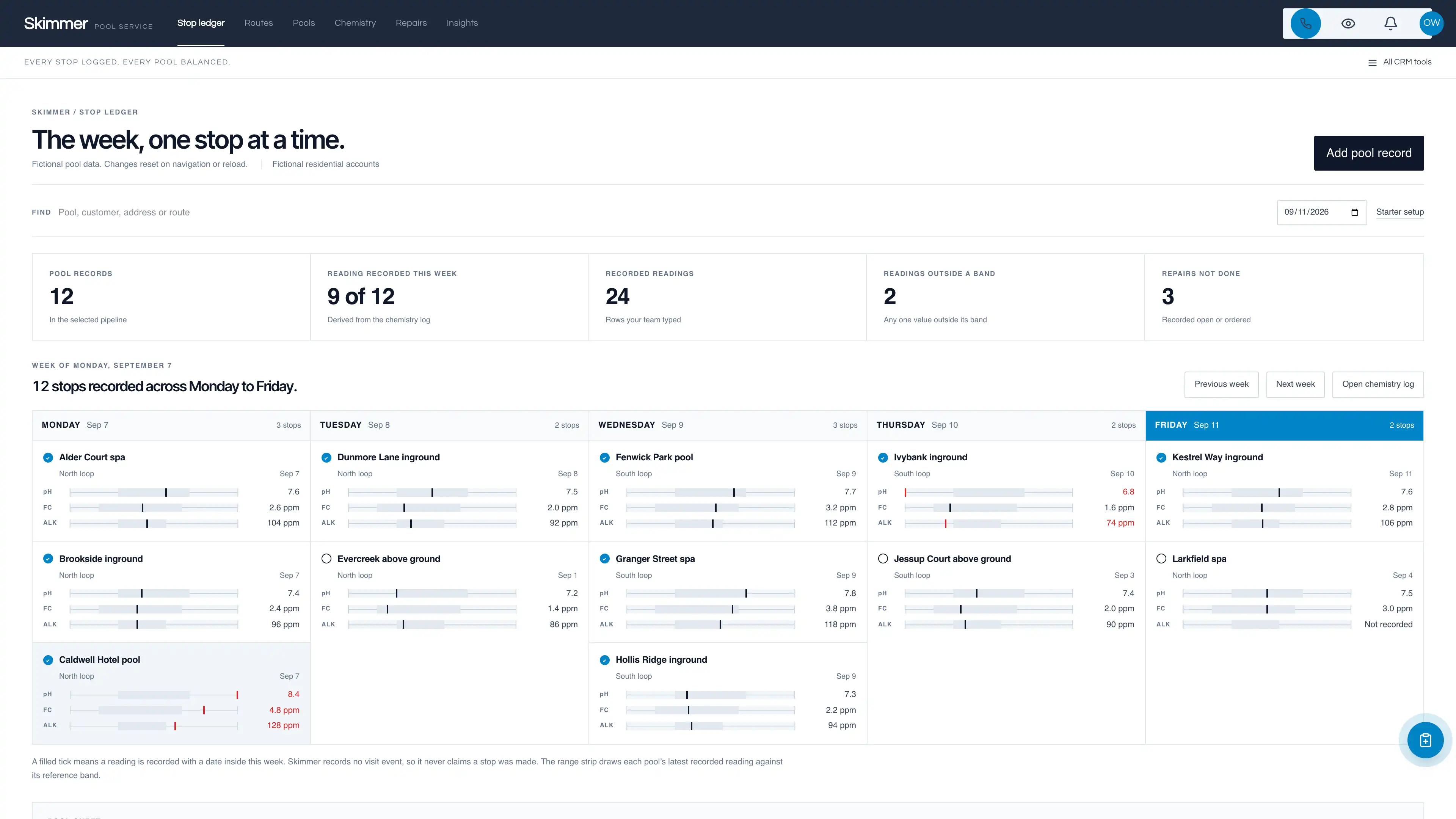
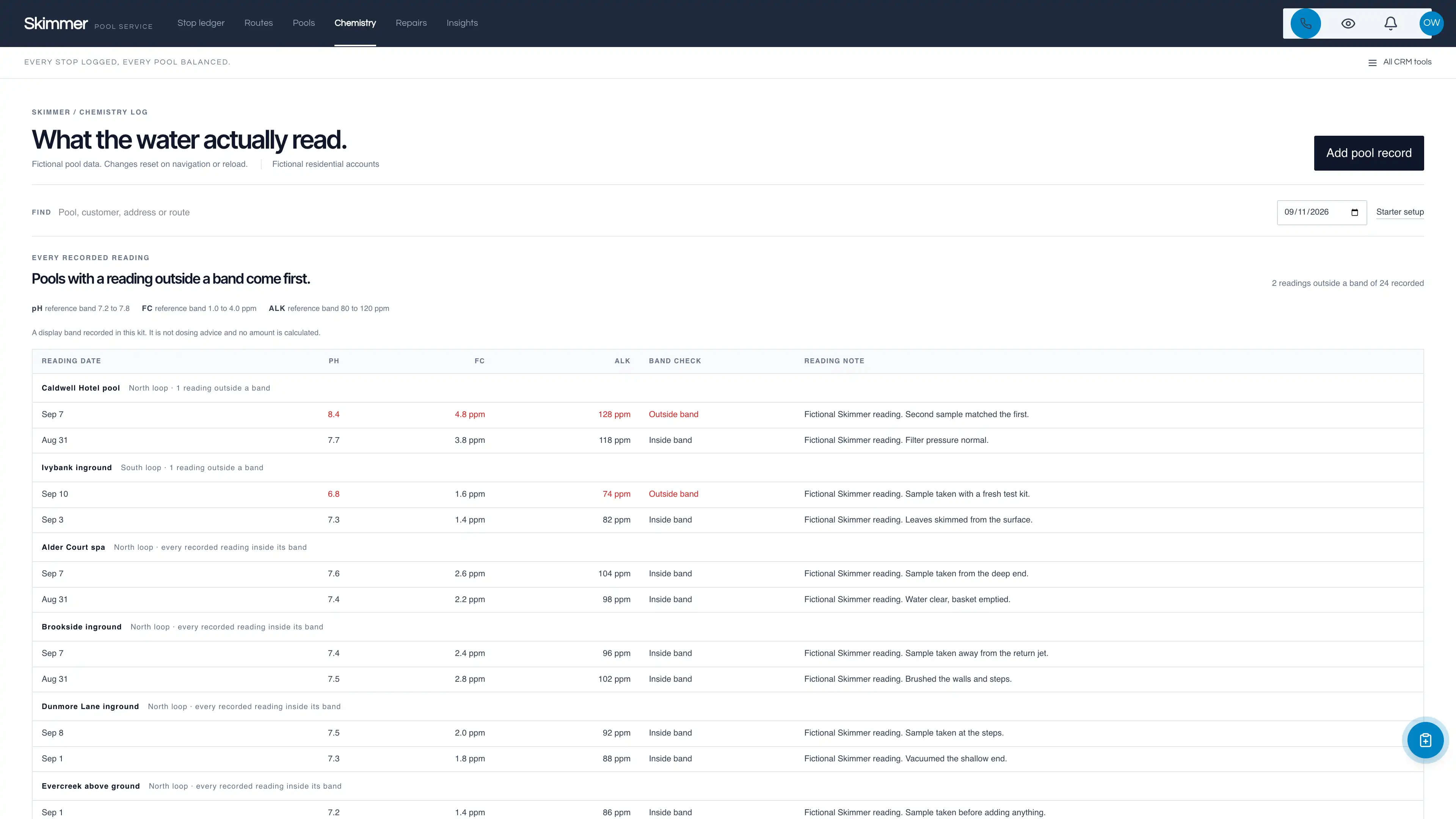
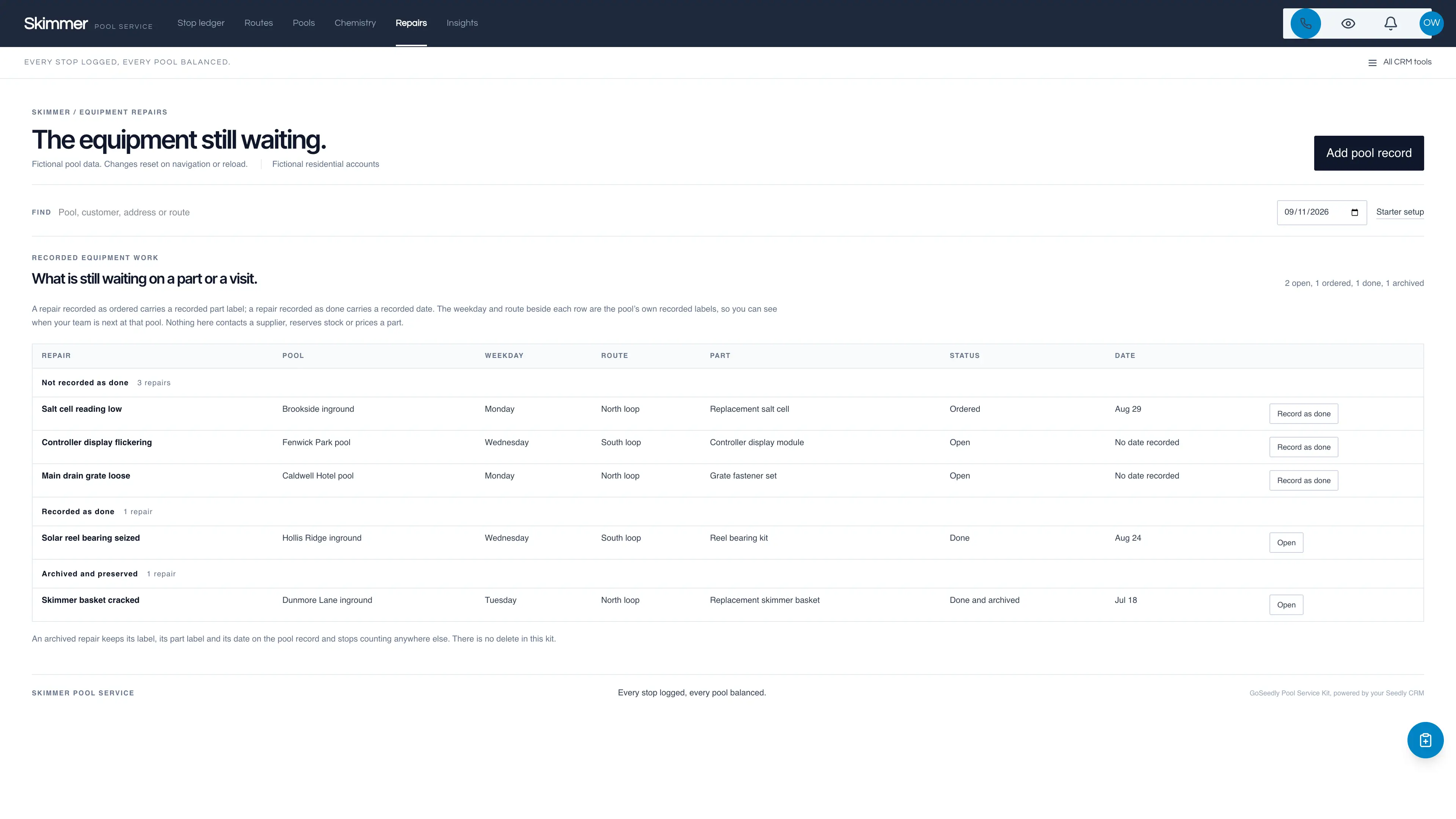
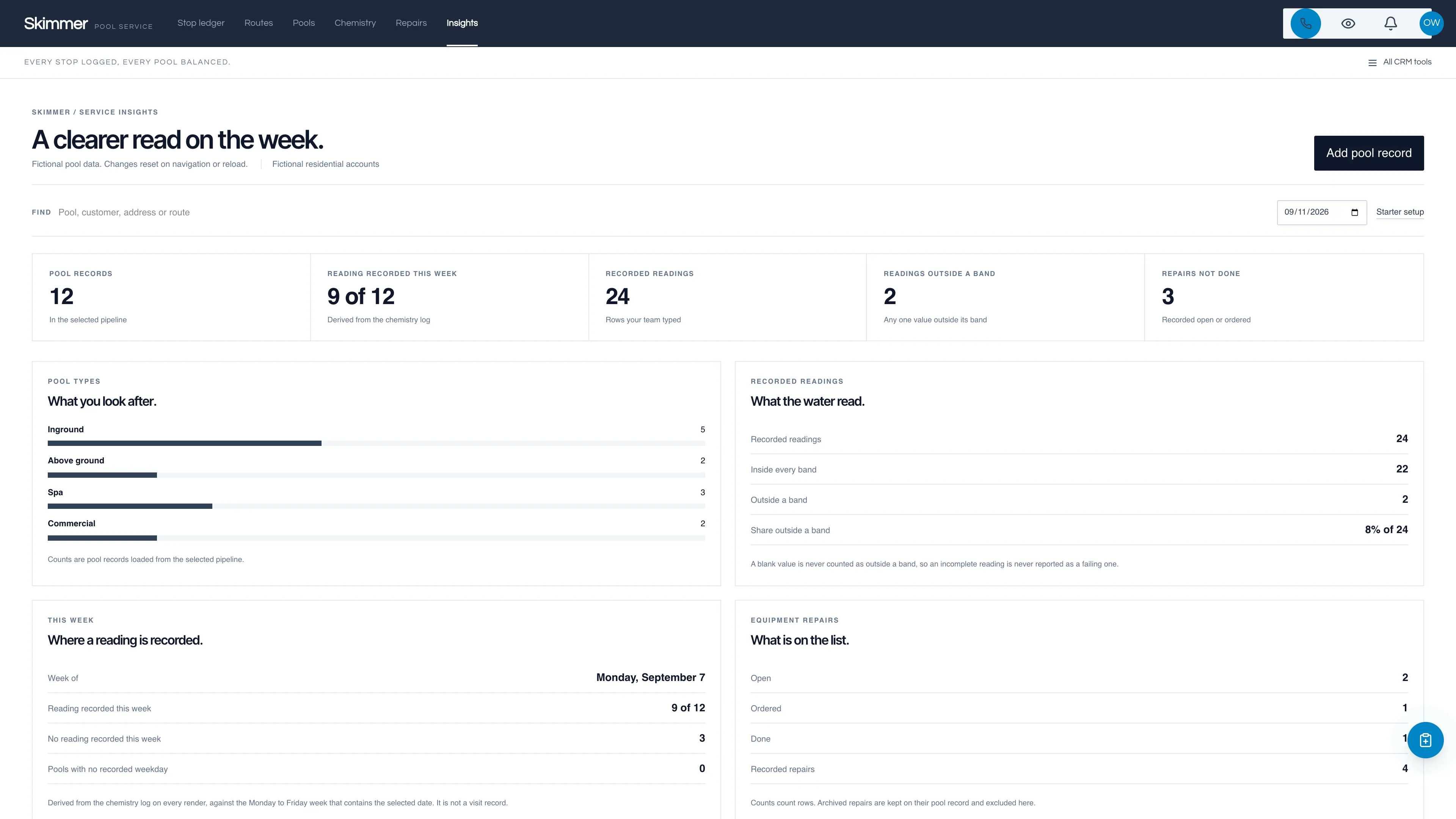
The week, one stop at a time.
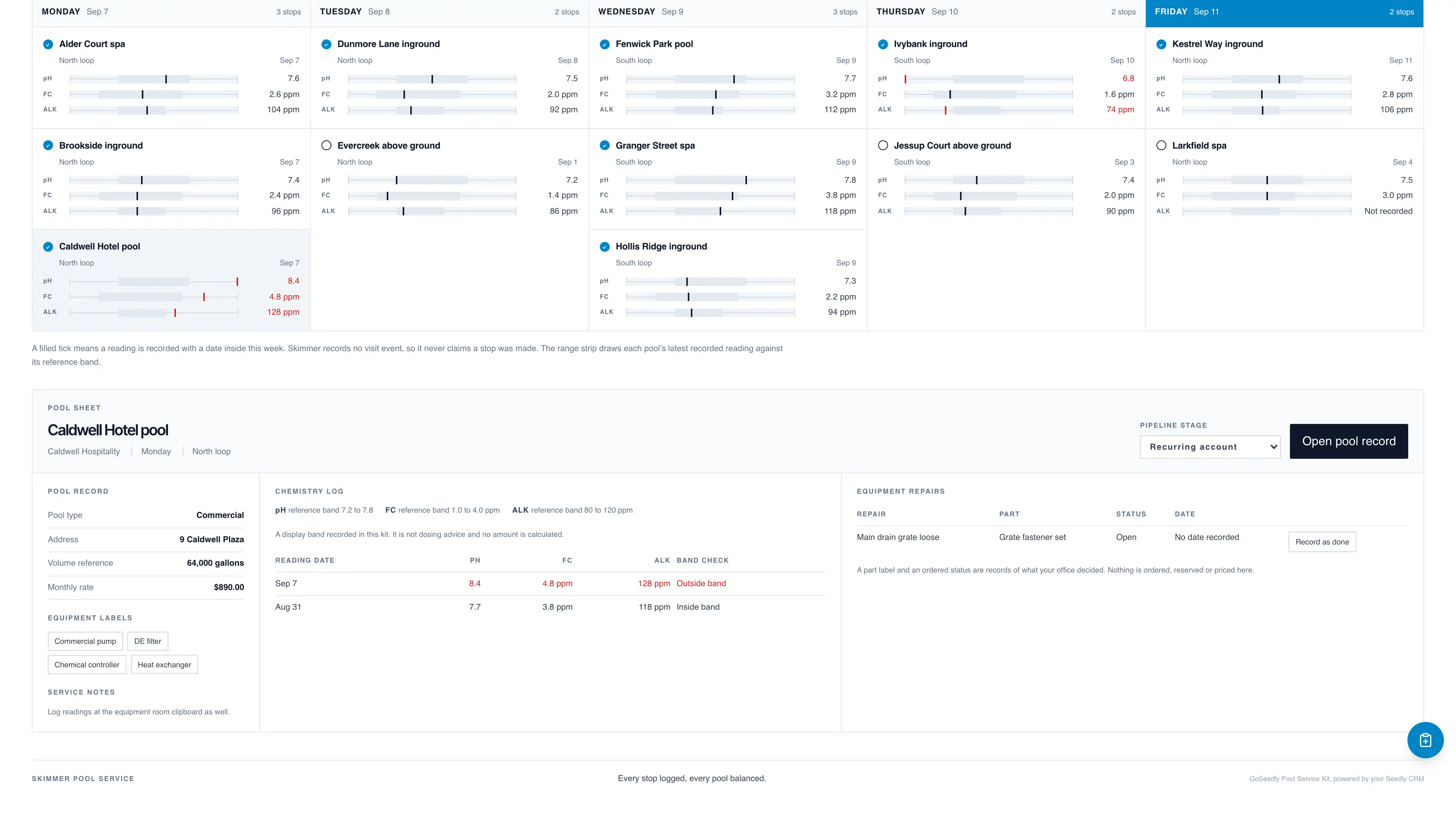
Monday to Friday as five narrow ledgers. Each stop shows its pool label, its route, a tick for whether a reading is recorded inside this week, and three tiny range bars for pH, free chlorine and total alkalinity with the latest recorded value printed beside each one.
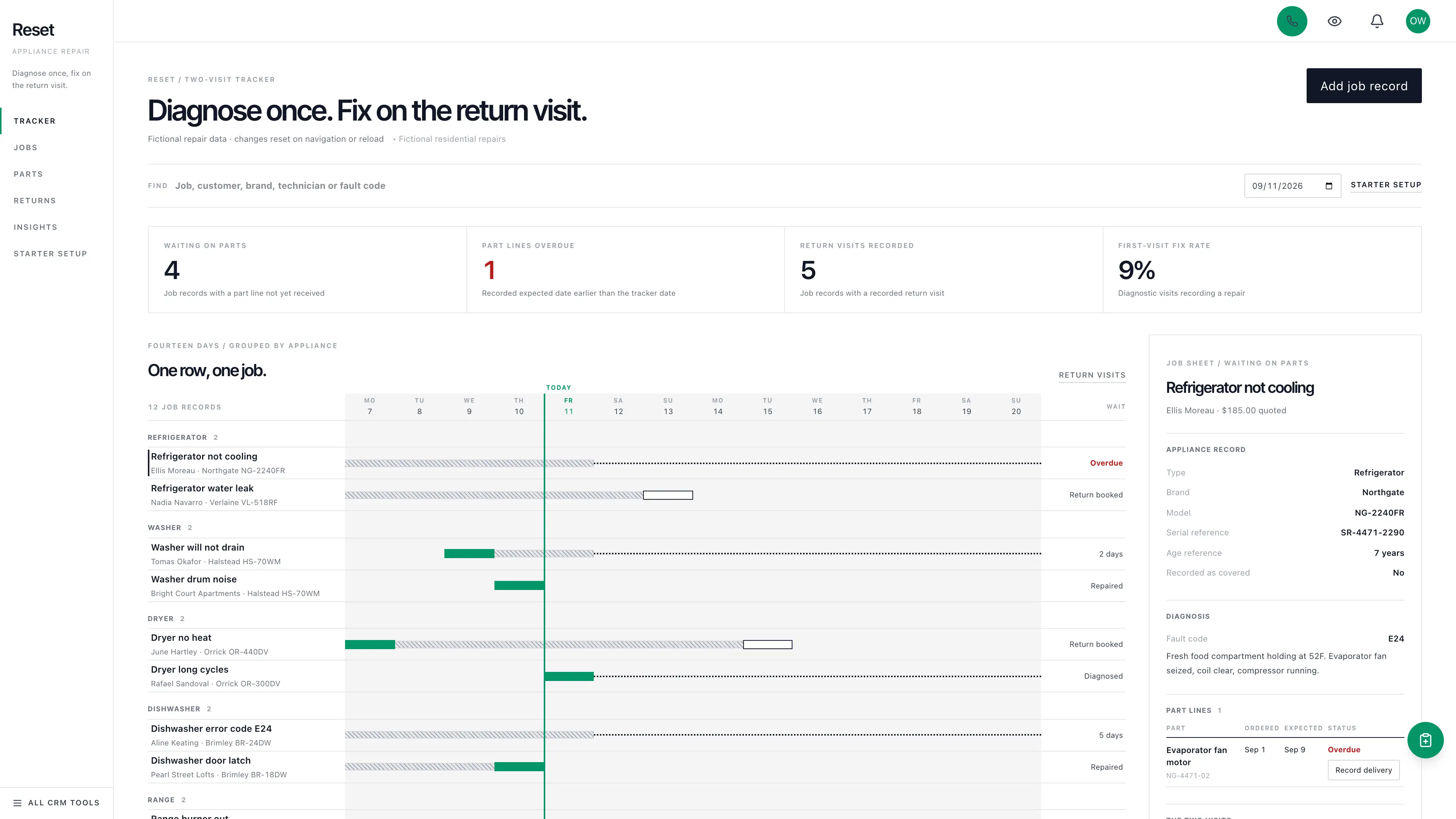
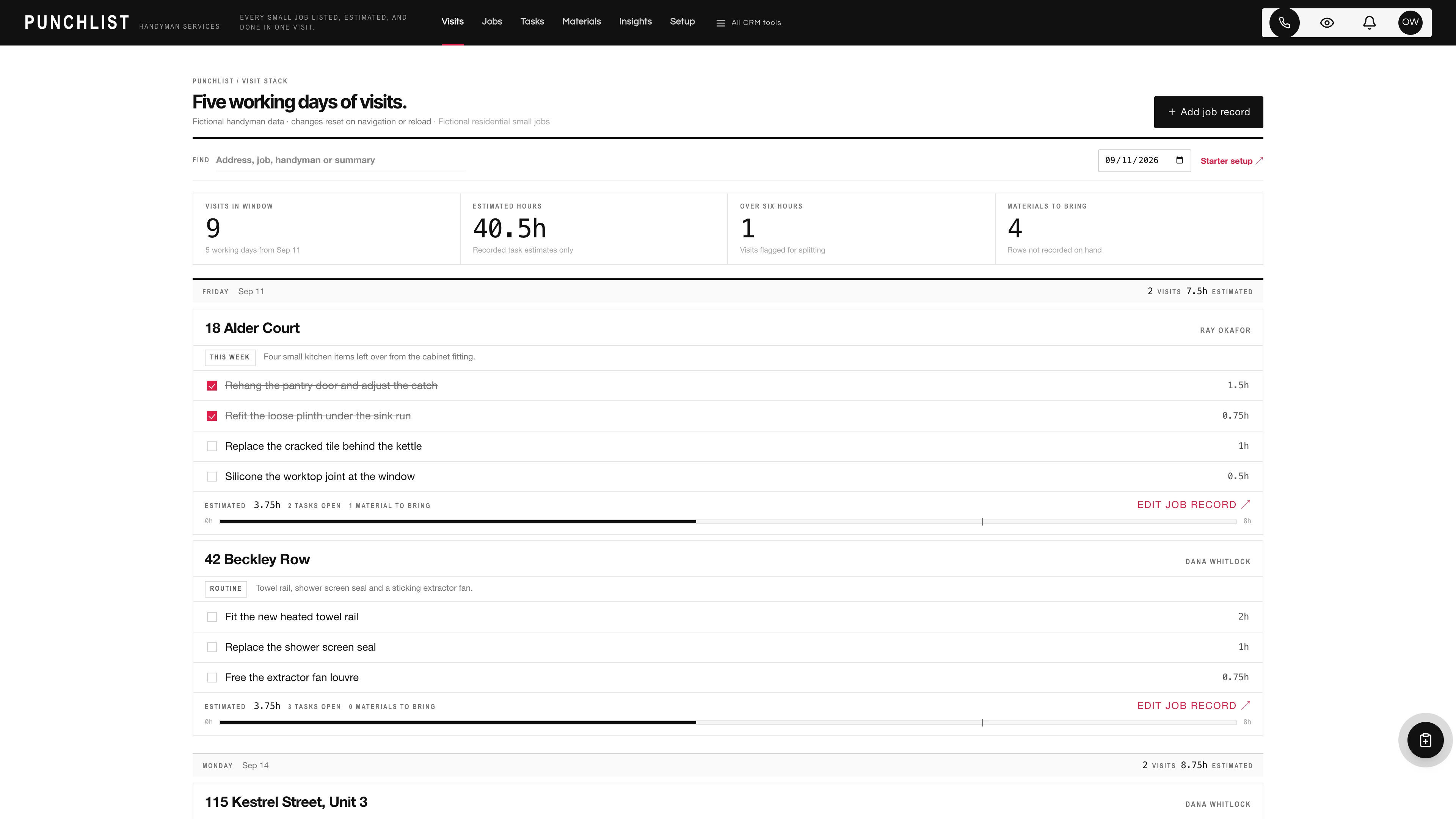
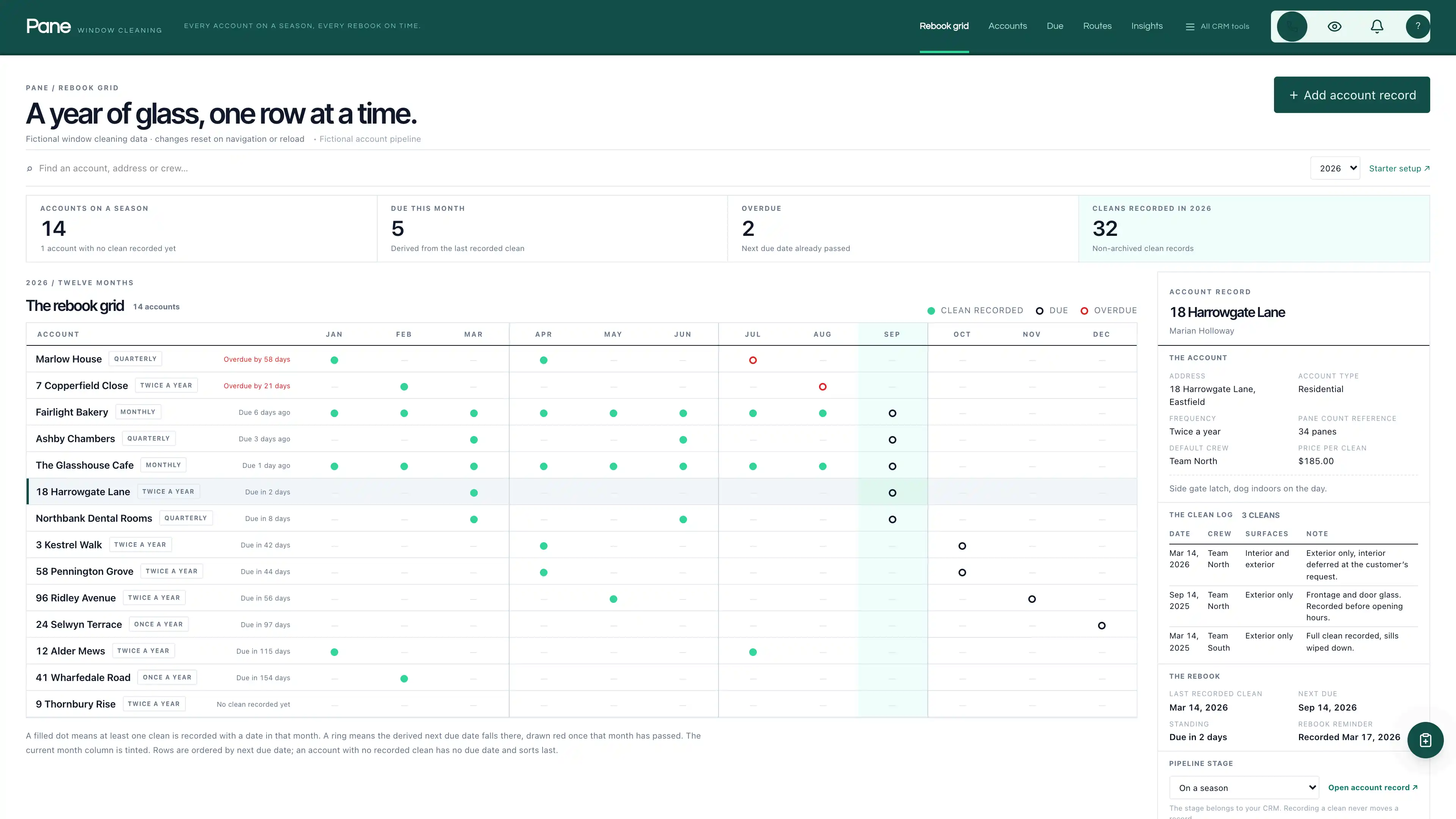
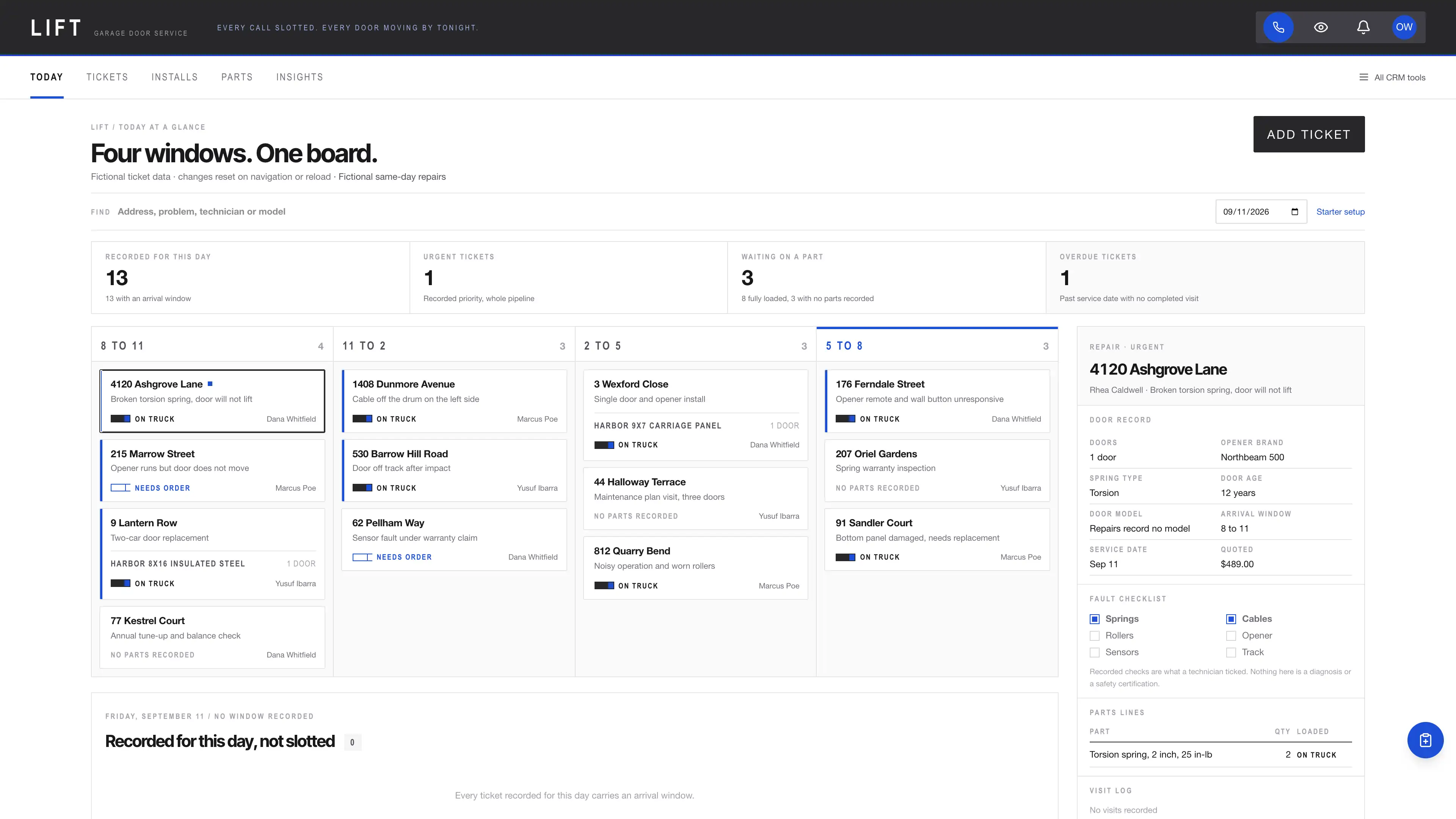
Actual interface captures with fictional sample data. Open a screenshot to see it full size.
What’s in the kit
Screens
- Five-column weekday stop ledger with a CSS chemistry range strip
- Pool sheet with the record, the chemistry log and the equipment repairs side by side
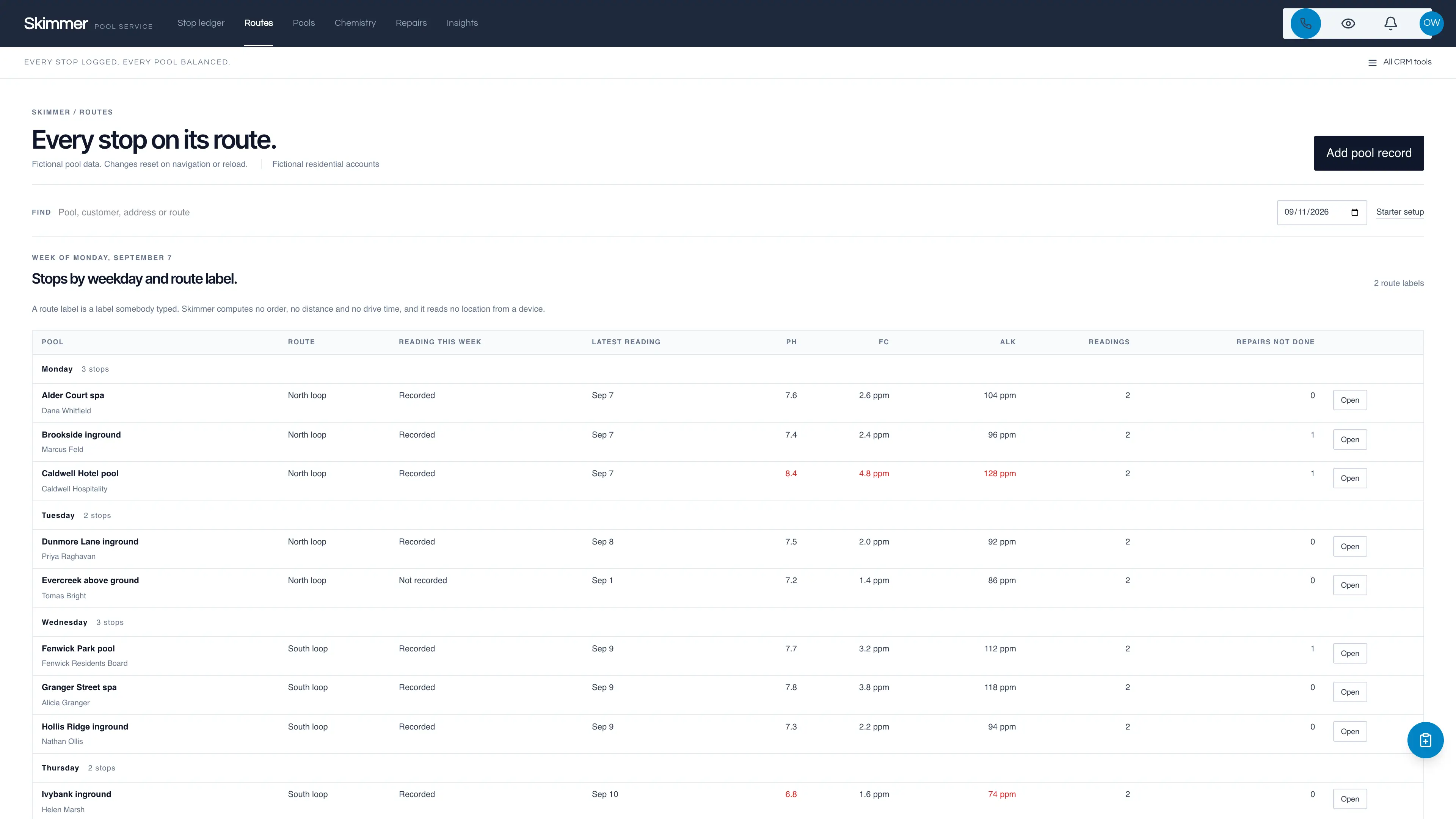
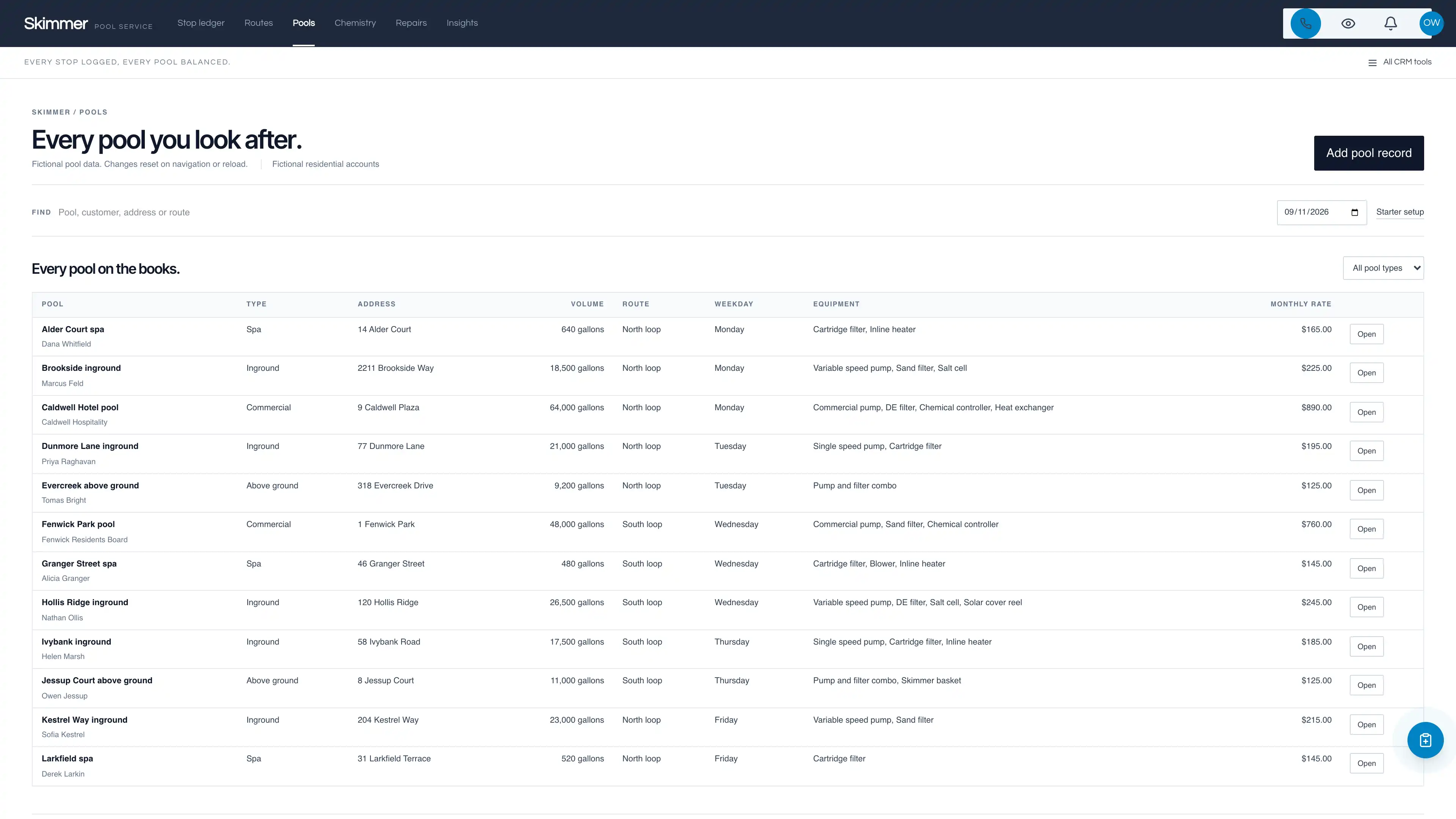
- Routes, Pools, Chemistry log and Equipment repairs views
- Service insights drawn from recorded rows with their denominators printed
- White Skimmer application frame on a dark slate chrome bar with full CRM tools
four pipelines
- New residential accounts · 8 stages
- Commercial accounts · 8 stages
- Equipment repairs · 7 stages
- Seasonal openings and closings · 6 stages
Optional. Install the ones that match your work, or connect drafts to a pipeline you already use.
nine workflow drafts
- First visit task
- Out-of-band reading follow-up
- Repair estimate task
- Part ordered note
- Part received check task
- Repair complete note
- Seasonal opening reminder
- Seasonal closing reminder
- Account review task
Inactive until you review and publish them. None send customer messages.
Sample workspace
Walk a fictional week first: twelve pools across the five weekdays and two route labels, 24 recorded readings with two outside a reference band, and five recorded repairs including one archived row. Sample edits stay in the current page memory and reset on navigation or reload; sample pools are never inserted into your CRM.
No sample customers are added to your CRM.
Setup and source
- Guided setup and compatibility report
- Private rollback receipt
- AI-agent guide for customized installations
- Original editable source, configuration, and tests
How setup works
Full installation guideCheck your Seedly
Extract the kit and run the guided setup. It checks your installation and flags customized files before it changes anything.
Connect the helper
Deploy the included helper from your backend source, then build your web app and choose any starter pipelines and drafts.
Make it yours
Set company name, descriptor, and default pipeline name. Then sign in and check the workflows and permissions your team uses.
Technical details and compatibility
Seedly CRM 5.8.4 · extension API 1. Node.js 20 or newer. The installer checks supported integration-file versions and does not deploy your web app or backend. The included original pool service helper is required for connected creation, editing and starter setup. It preserves native account permissions and unrelated custom fields, re-checks every reading and repair rule on the server, and compares the current record state before saving. Deploy it from your authoritative backend source before connected edits. Pipeline presets and workflow drafts remain optional.
One serviced pool is a native contact-linked opportunity with namespaced pool type, address label, volume reference, route label, service weekday, equipment labels, monthly rate reference, service notes, chemistry readings and equipment repairs. pH and free chlorine are stored as integer tenths and total alkalinity in whole ppm, so a recorded 7.4 stays 7.4. Readings and repairs use stable IDs and are archived rather than deleted.
The three reference bands are a display band recorded in the kit so a reading can be drawn against something. They are not dosing advice: nothing calculates a dose, names a chemical or multiplies the recorded pool volume. The done tick is derived from the chemistry log on every render, so it says a reading is recorded inside the displayed week and never that a visit happened. A route label and a service weekday reserve no technician, create no calendar appointment and compute no route. A recorded part label and an ordered status contact no supplier and reserve no stock. A recorded monthly rate is a reference, not an invoice, and is never written into native opportunity value.
Four optional pipeline templates and nine inactive workflow drafts. Twelve fictional in-memory pools, 24 recorded readings and five recorded repairs.
Calling, messaging, signing, payments, and external integrations depend on your Seedly installation, account permissions, plan, and configured providers. Screenshots use sample data and reference imagery. Hosting, installation, and ongoing maintenance are your responsibility.
Get the Pool Service Kit
Checking access…

DevLaunch All Access
Every kit and every template.
- All 220 CRM kits for Seedly CRM
- All 270 website templates for Seedly Sites
- Every class, course, and product we release, added as it ships
- Private calls with Aaron
Already a member? Open your downloads.
Questions
How do I receive the kit?
Purchase securely through Whop. Your original source ZIP and installation documentation are delivered manually to the email used at checkout. This is a one-time purchase of this kit; Seedly software, hosting, and installation services are separate.
Does this include Seedly CRM?
You obtain and configure Seedly separately. The kit adds original frontend screens, a shared theme, starter definitions, and integration instructions. It does not include Seedly’s codebase, license, hosting, or a separate CRM database.
Is this one connected workspace?
Skimmer keeps its pool service navigation across its original views and the native CRM modules. Full CRM tools remain available within the same signed-in account and application theme. Contacts, Calendar, Estimates, Documents, and other full modules retain the functionality supplied by your own Seedly installation. Existing authored content and provider screens retain their own layouts.
Can I use it with existing customizations?
Yes, with a compatibility review. The installer checks the supported integration files. Changed integration files need a reviewed merge; the included AI-agent guide explains how to preserve custom extensions, permissions, providers, and routes.
Do I have to import all the starter content?
No. Choose individual pipelines and workflow drafts, use a compatible existing pipeline, or install none. Workflows remain inactive until reviewed and published. They use native triggers, internal tasks, optional notes, and timed waits. A wait does not verify task completion or recheck the current stage. The included drafts do not send customer messages.
Can I remove the examples and starter content?
Sample records stay in memory and never create customers in your CRM. Leave sample mode to return to your account. Starter setup lets you review removal of unused kit additions; server checks retain edited or published workflows and pipelines with live work or references. Removing the frontend does not delete account records.
Can different subaccounts use different kits?
The current design and branding apply to the whole web installation. Subaccounts still separate data and access. Use a separate web installation for another full-interface kit; running different kit designs by subaccount in one installation requires additional customization.
More home services kits
Browse all 220 kits