CRM KitsNanny and caregiver agencies
One family. Three caregivers.
A nanny agency spends its day comparing one family against two or three caregivers, then following the trial that comes out of it. Placed builds the workspace around that comparison: a white canvas, a graphite chrome bar, and one violet accent that means a running trial or a completed placement.
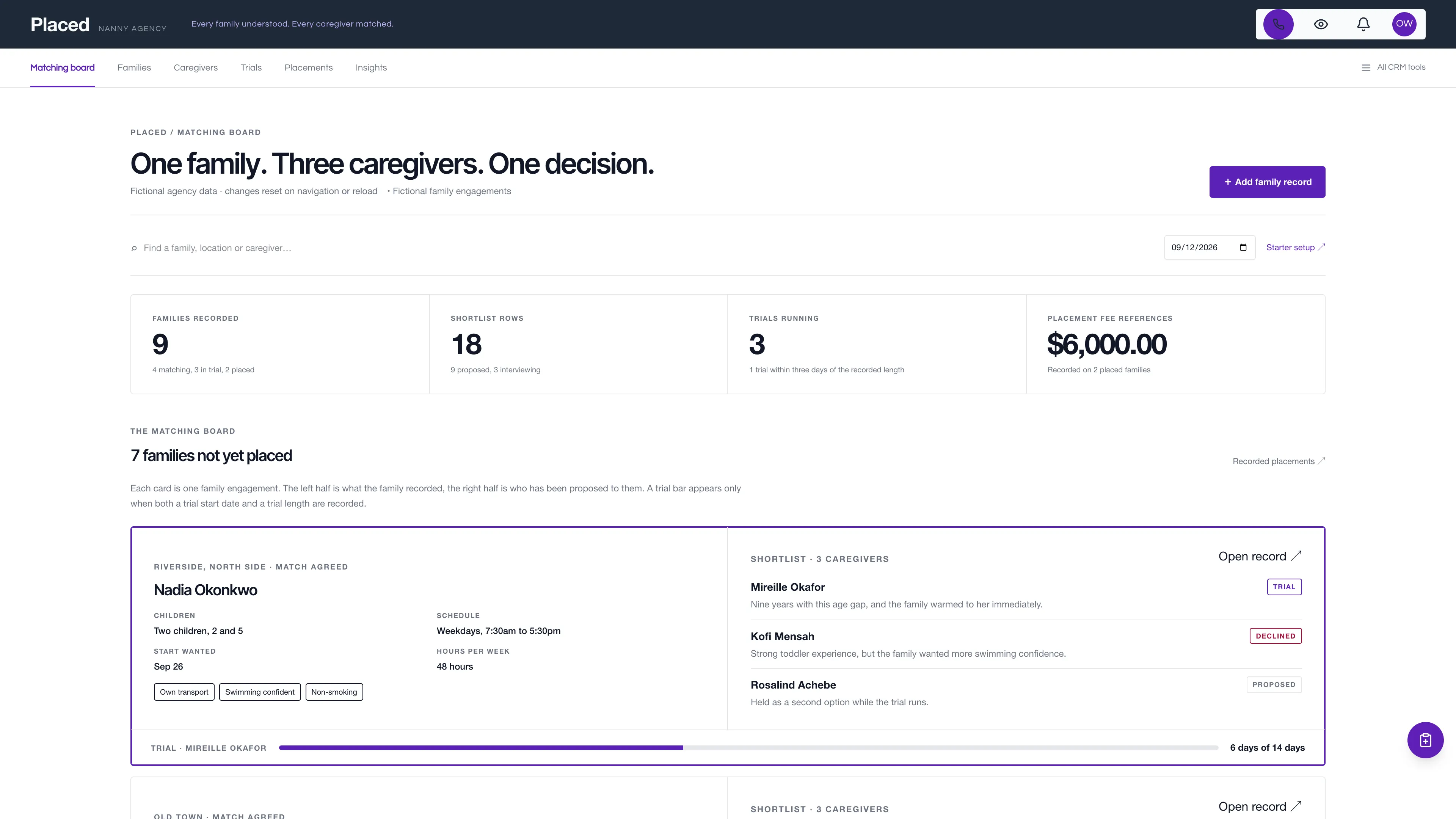
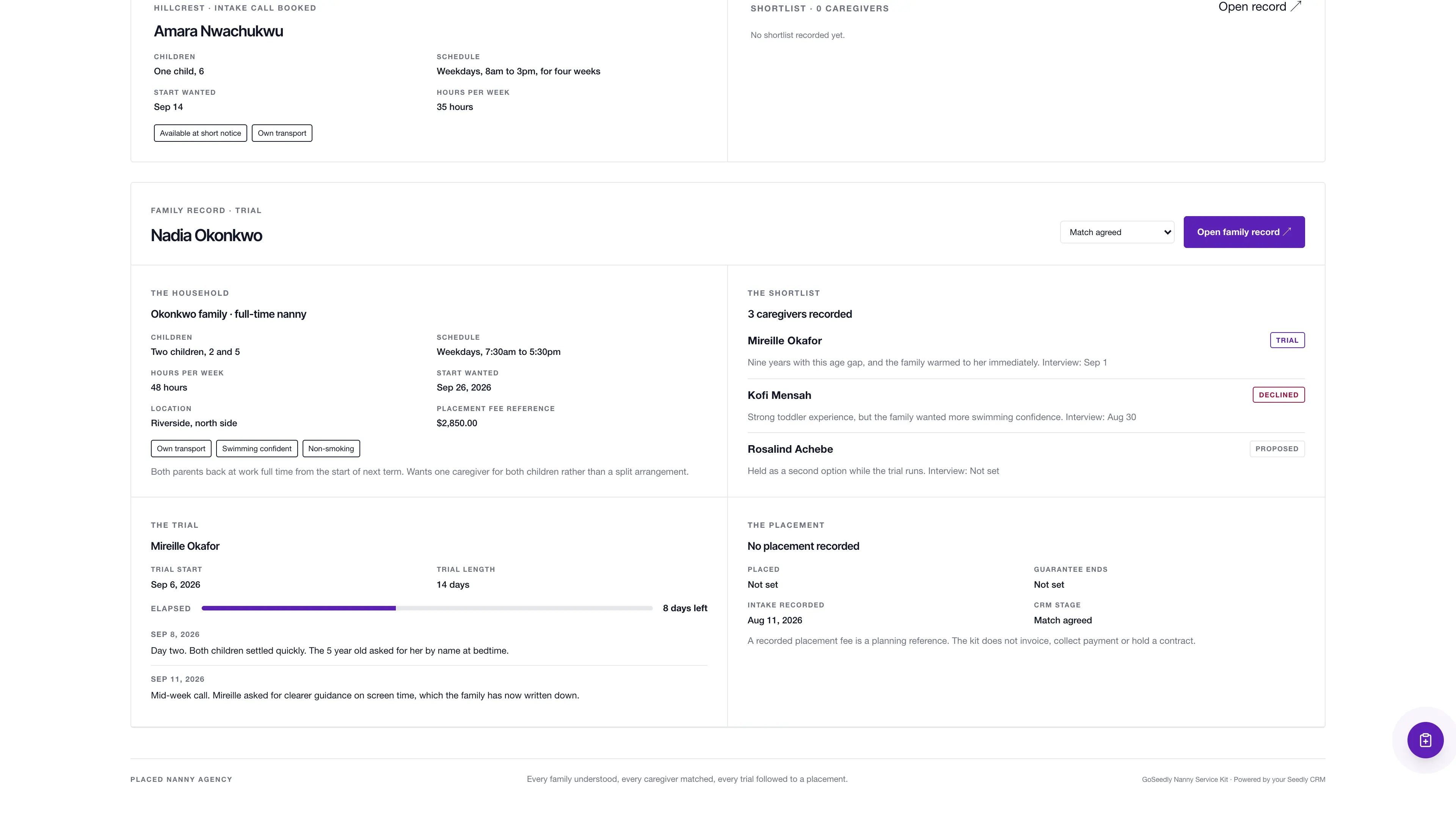
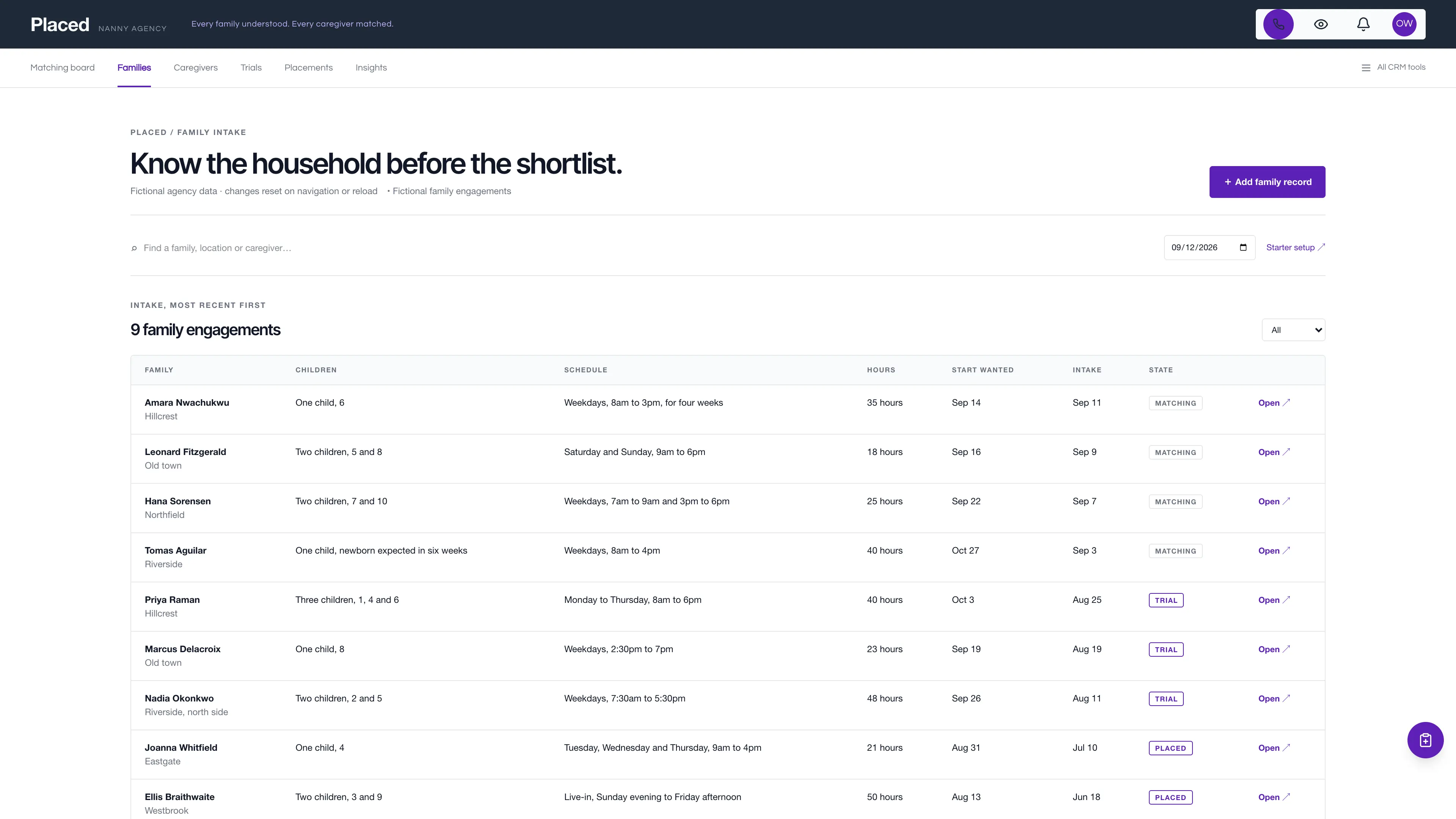
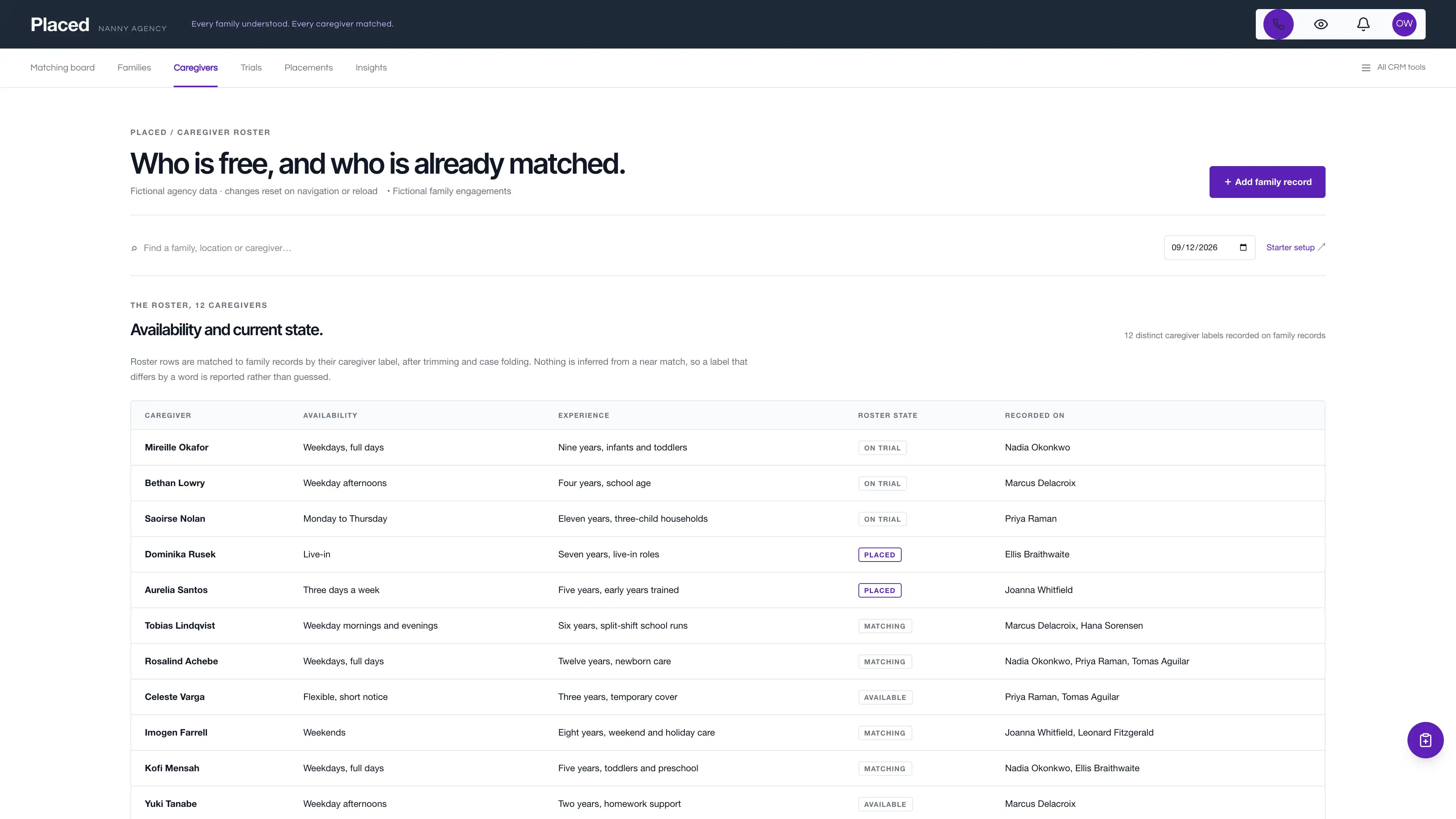
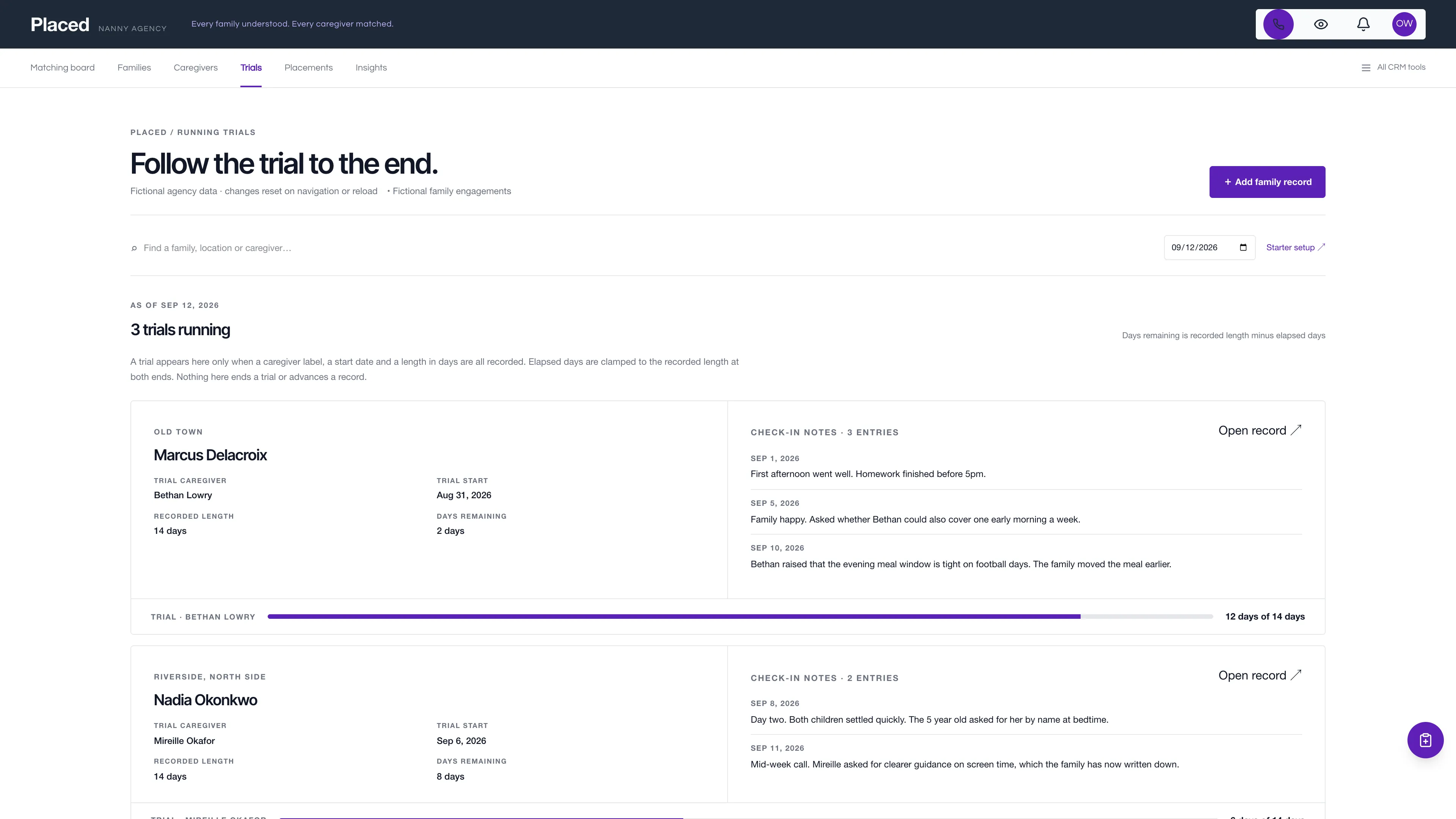
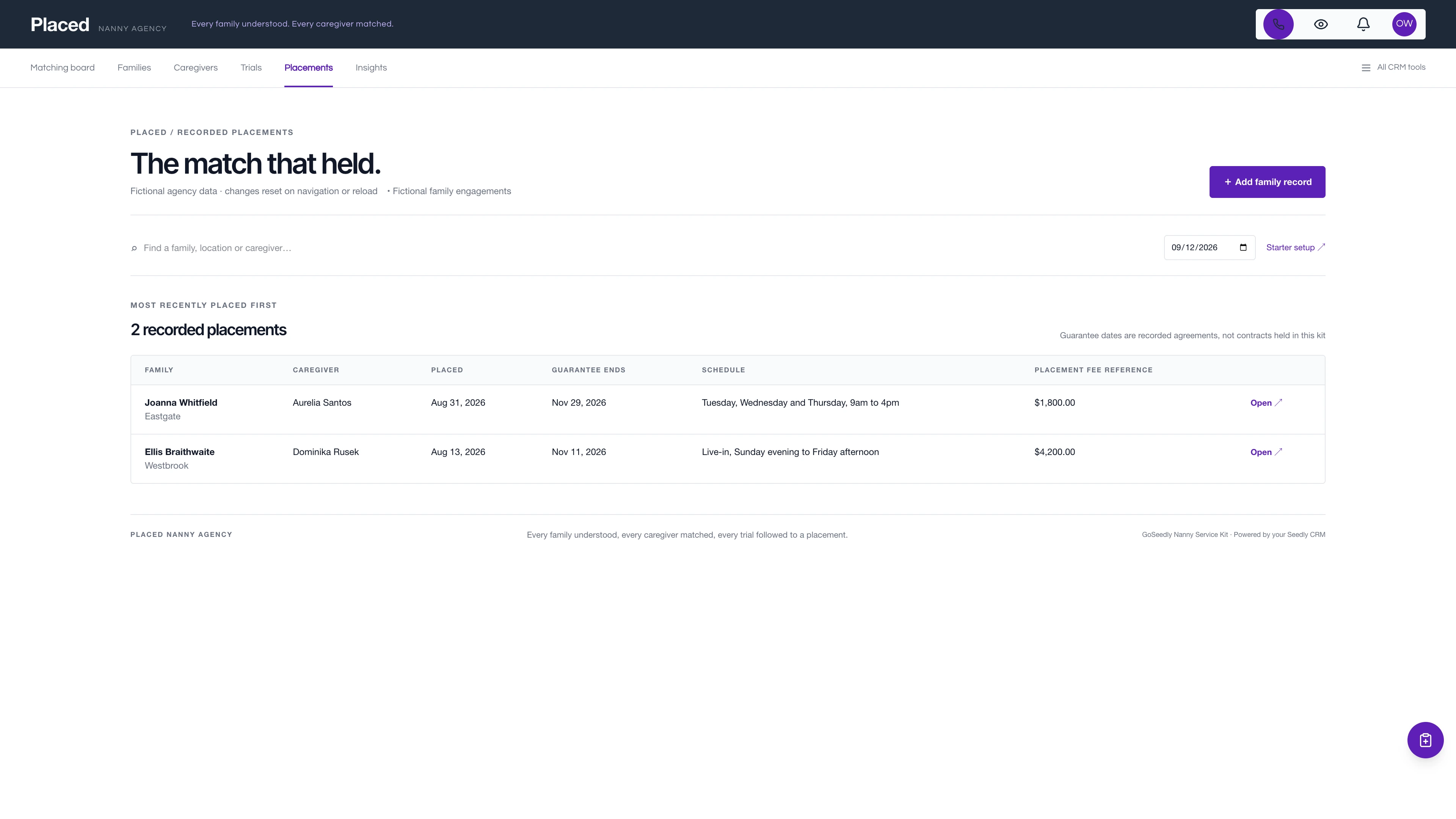
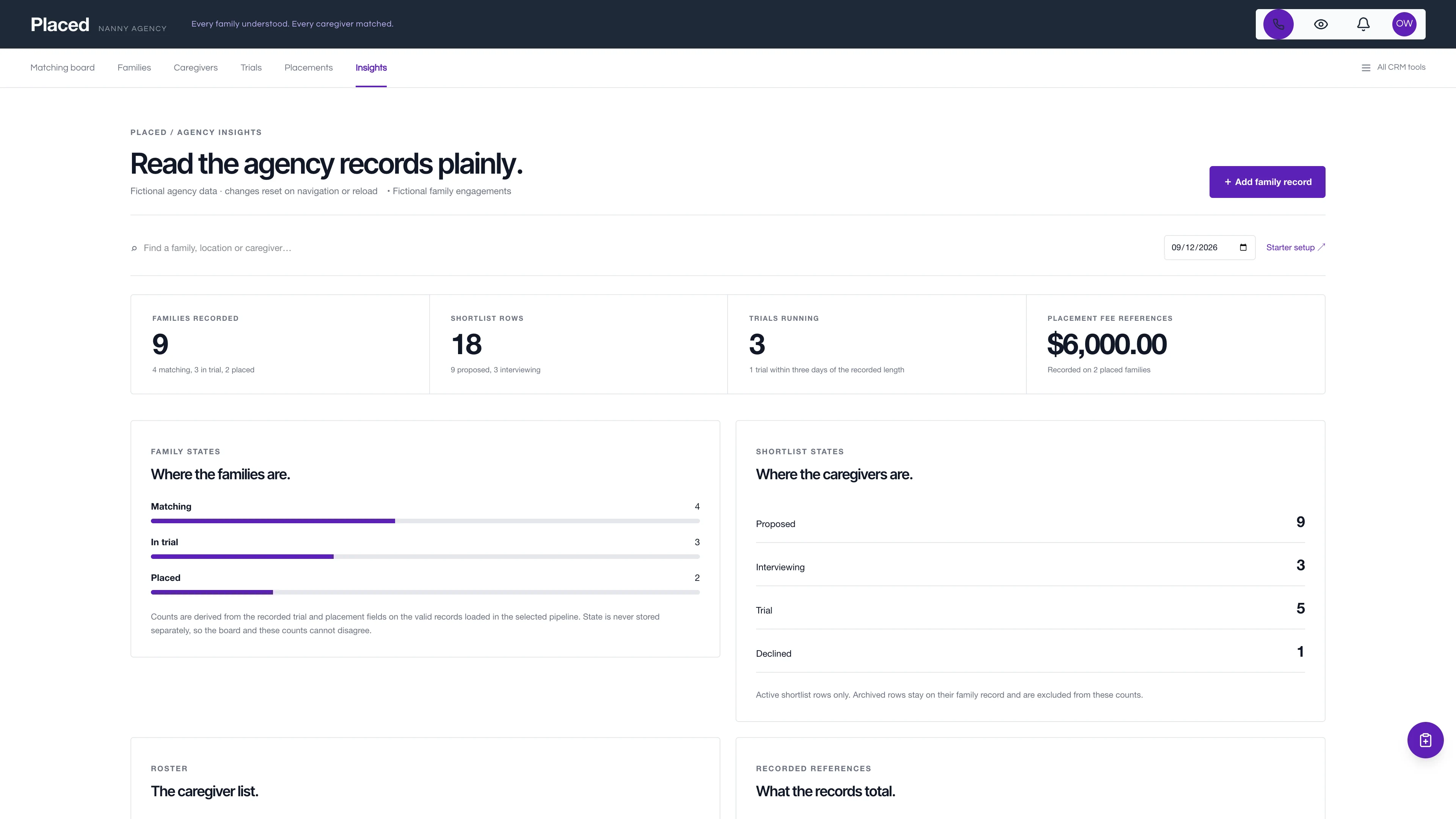
Read the family and the shortlist side by side.
Each family that is not yet placed is one wide card split down the middle. The left half is the household the family described. The right half is up to three proposed caregivers with a fit note and a state. A violet bar across the card foot appears only when a trial start date and a trial length are both recorded.
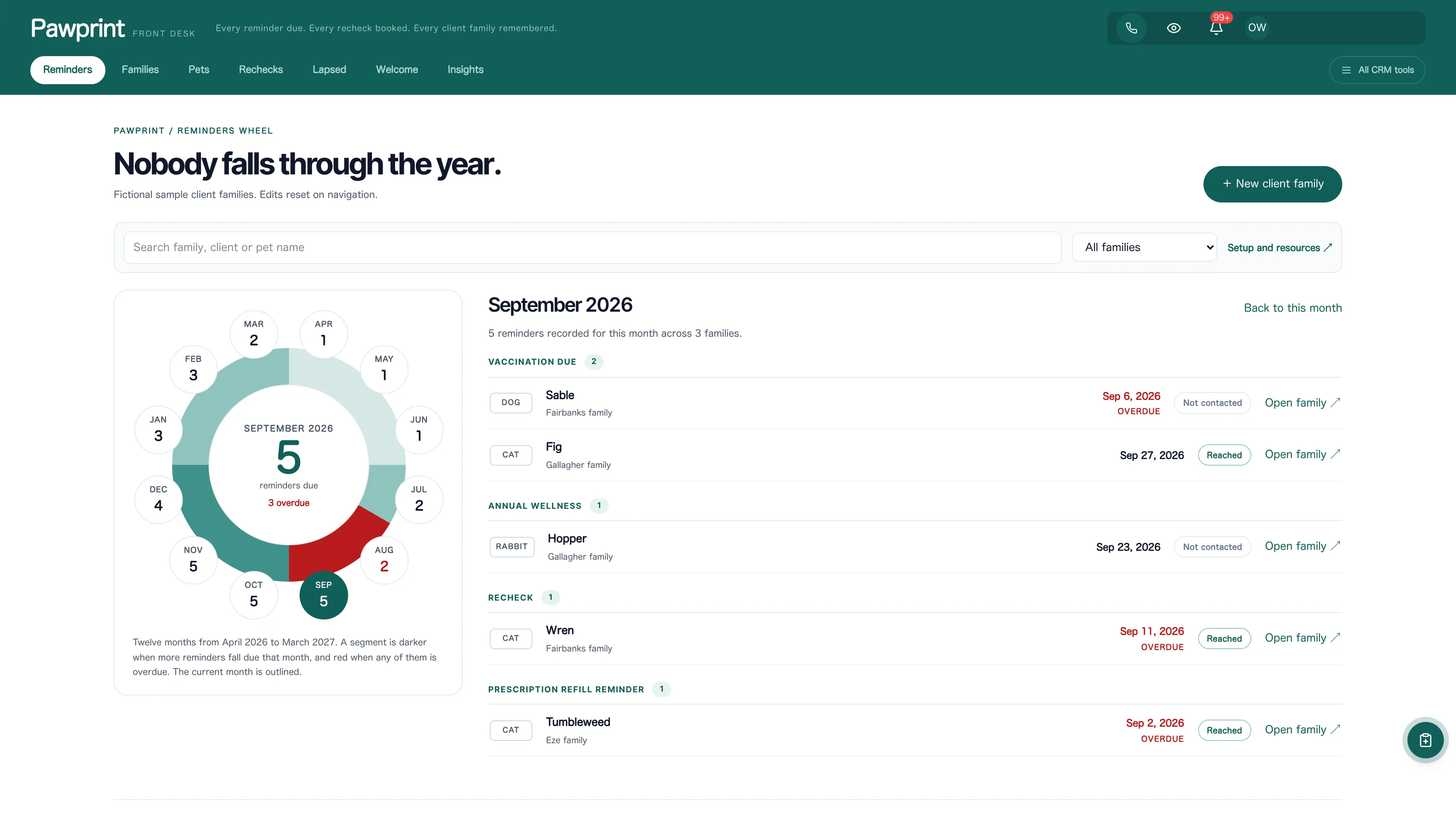
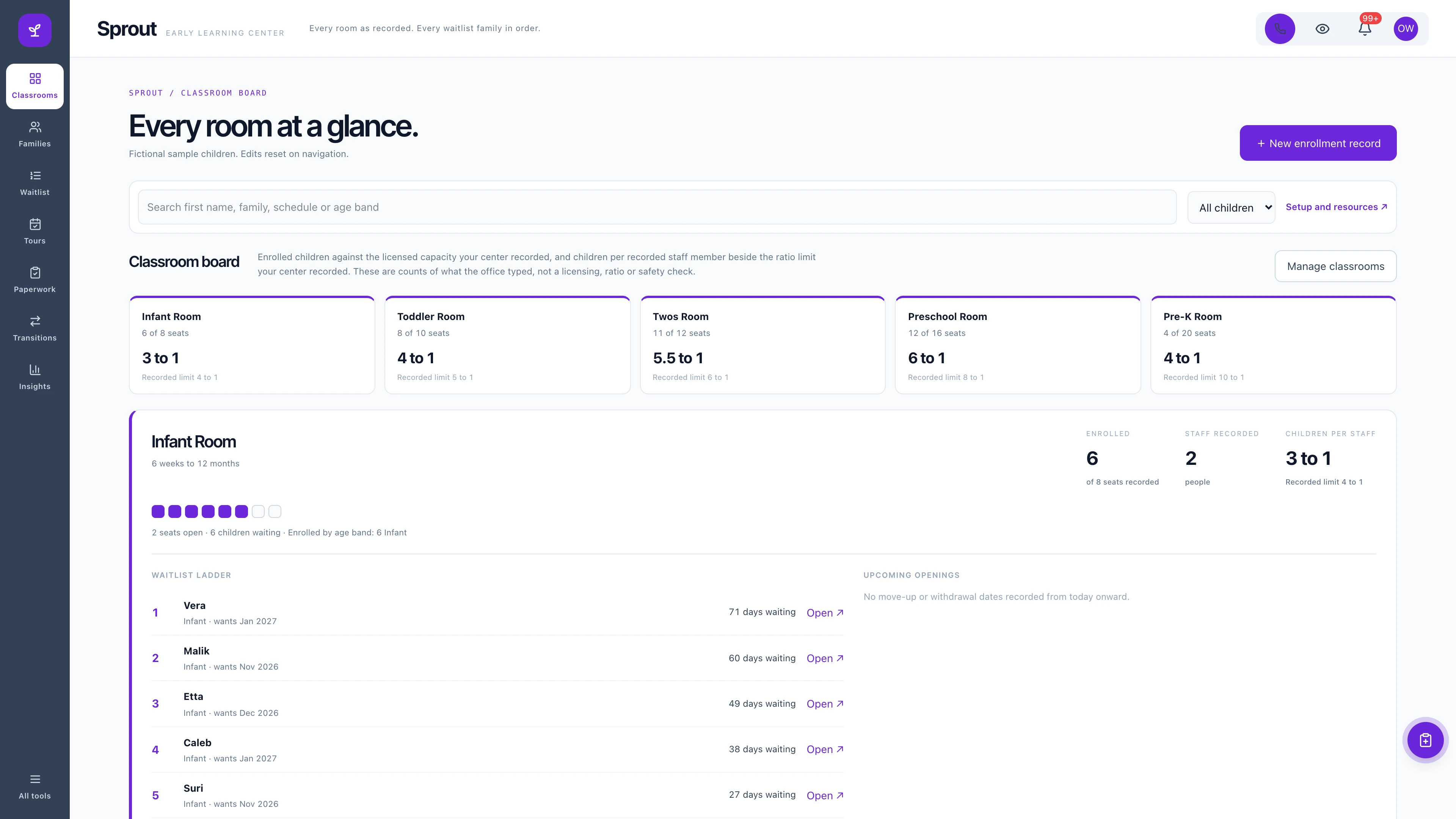
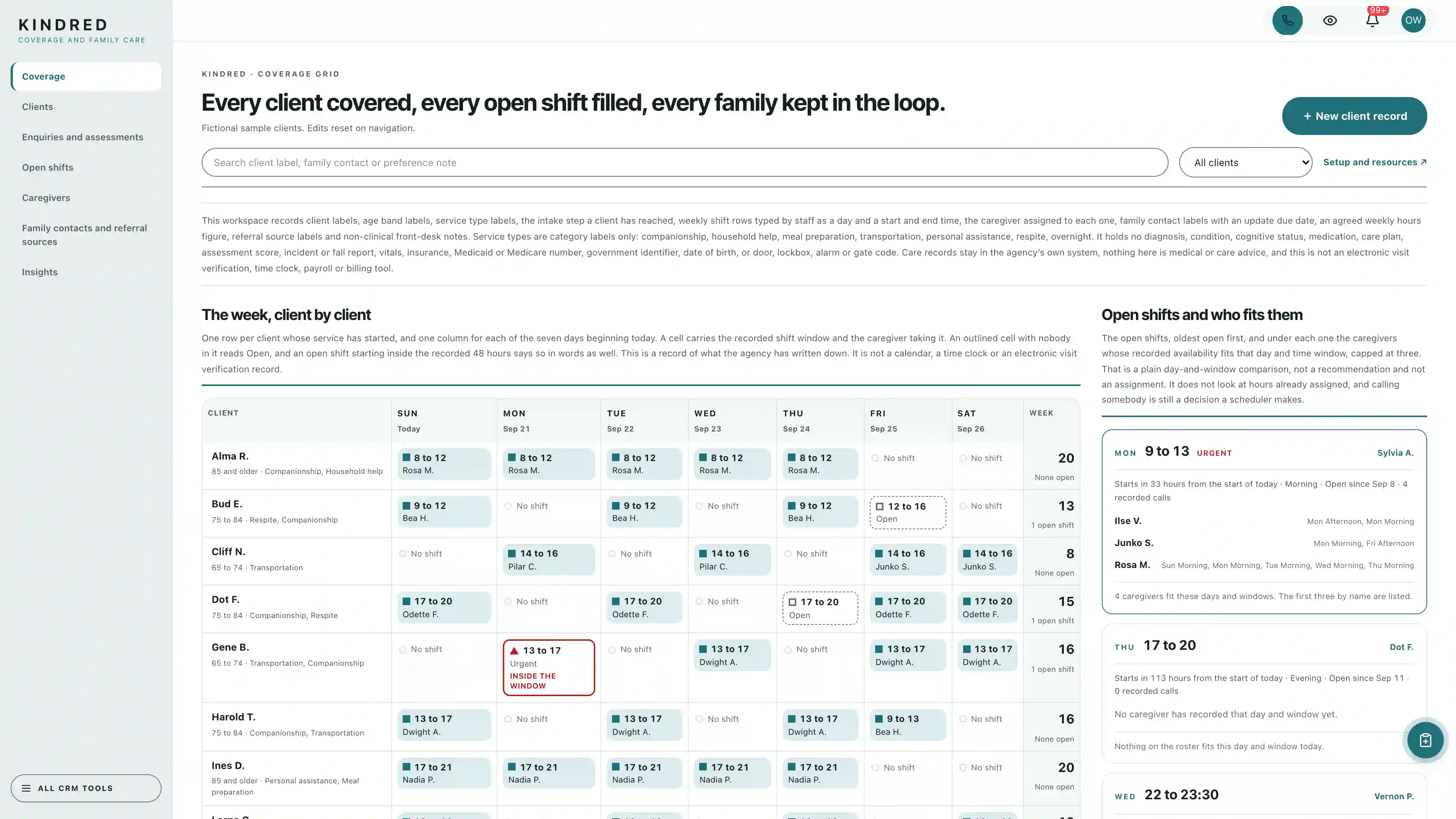
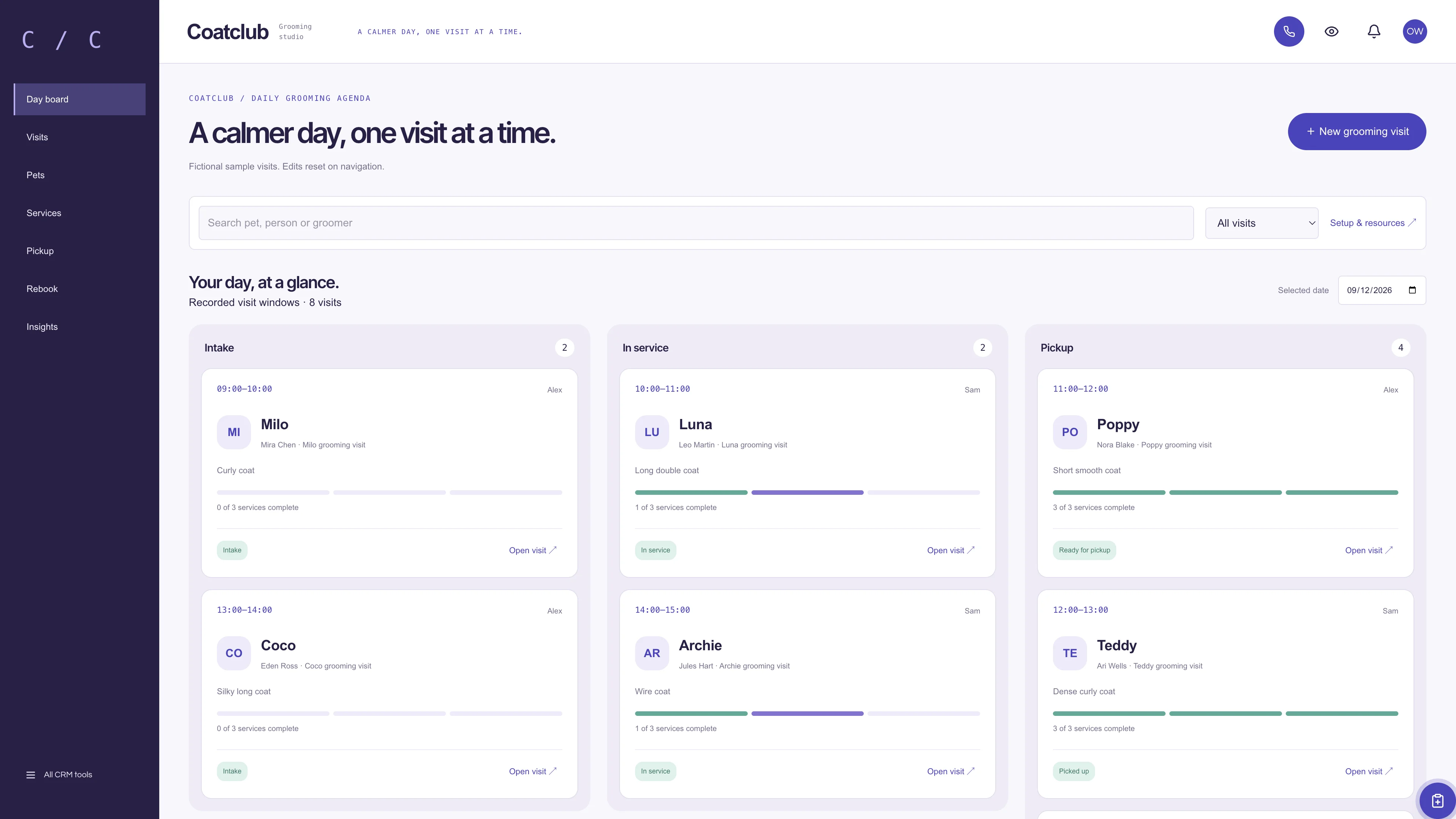
Actual interface captures with fictional sample data. Open a screenshot to see it full size.
What’s in the kit
Screens
- Matching board of split family cards with shortlists and clamped trial countdown bars
- Family sheet with the household record, shortlist, trial check-ins and placement
- Family intake table, running trials and recorded placements views
- The kit own per-workspace caregiver roster with exact label matching
- Agency insights drawn from recorded workspace data
- Graphite and violet Placed application frame with full CRM tools
four pipelines
- Family intake and matching · 8 stages
- Caregiver onboarding · 7 stages
- Trials and placements · 7 stages
- Backup and temporary care · 7 stages
Optional. Install the ones that match your work, or connect drafts to a pipeline you already use.
nine workflow drafts
- Intake call preparation
- Family profile note
- Shortlist proposal review
- Interview follow-up
- Trial start note
- Trial mid-point check-in
- Placement confirmation
- Thirty-day placement check-in
- Guarantee end reminder
Inactive until you review and publish them. None send customer messages.
Sample workspace
Explore nine fictional families in the separate sample view: three in a running trial, two already placed and four still matching, with eighteen shortlist rows in total and twelve fictional caregivers on the roster. Example edits stay in the current page memory and reset on navigation or reload; sample families are never inserted into your CRM.
No sample customers are added to your CRM.
Setup and source
- Guided setup and compatibility report
- Private rollback receipt
- AI-agent guide for customized installations
- Original editable source, configuration, and tests
How setup works
Full installation guideCheck your Seedly
Extract the kit and run the guided setup. It checks your installation and flags customized files before it changes anything.
Connect the helper
Deploy the included helper from your backend source, then build your web app and choose any starter pipelines and drafts.
Make it yours
Set agency name, descriptor, and default pipeline name. Then sign in and check the workflows and permissions your team uses.
Technical details and compatibility
Seedly CRM 5.8.4 · extension API 1. Node.js 20 or newer. The installer checks supported integration-file versions and does not deploy your web app or backend. The included original nanny service helper is required for connected creation, editing, the caregiver roster and starter setup. It preserves native account permissions and unrelated custom fields, enforces the two cross-field date rules, and checks the current record state before saving. Deploy it from your authoritative backend source before connected edits. Pipeline presets and workflow drafts remain optional.
A family engagement is a native contact-linked opportunity with namespaced household details, must-have labels, a placement fee reference, a shortlist of caregivers with stable IDs, a recorded trial with dated check-in notes, and a recorded placement. The caregiver roster is the kit own per-workspace record set with its own server-owned revision.
Everything on screen is staff-entered. The kit runs no background checks, screening or reference verification, no payroll or tax handling, no scheduling engine or calendar sync, no contracts or e-signature, no payment processing and no family or caregiver messaging, and it makes no licensing or regulatory claim. Family state is derived from the recorded trial and placement fields rather than stored, so the board and the counts cannot disagree. The trial bar is elapsed days clamped to the recorded length; it does not end a trial, move a stage or predict an outcome. Interview and guarantee dates are recorded values that reserve nothing. A placement fee reference is a planning number, not an invoice or a collected amount.
Four optional pipeline templates and nine inactive workflow drafts. Nine fictional in-memory families, eighteen shortlist rows and twelve caregivers.
Calling, messaging, signing, payments, and external integrations depend on your Seedly installation, account permissions, plan, and configured providers. Screenshots use sample data and reference imagery. Hosting, installation, and ongoing maintenance are your responsibility.
Get the Nanny Service Kit
Checking access…

DevLaunch All Access
Every kit and every template.
- All 220 CRM kits for Seedly CRM
- All 270 website templates for Seedly Sites
- Every class, course, and product we release, added as it ships
- Private calls with Aaron
Already a member? Open your downloads.
Questions
How do I receive the kit?
Purchase securely through Whop. Your original source ZIP and installation documentation are delivered manually to the email used at checkout. This is a one-time purchase of this kit; Seedly software, hosting, and installation services are separate.
Does this include Seedly CRM?
You obtain and configure Seedly separately. The kit adds original frontend screens, a shared theme, starter definitions, and integration instructions. It does not include Seedly’s codebase, license, hosting, or a separate CRM database.
Is this one connected workspace?
Placed keeps its agency navigation across the original nanny service views and native CRM modules. Full CRM tools remain available within the same signed-in account and application theme. Contacts, Calendar, Estimates, Documents, and other full modules retain the functionality supplied by your own Seedly installation. Existing authored content and provider screens retain their own layouts.
Can I use it with existing customizations?
Yes, with a compatibility review. The installer checks the supported integration files. Changed integration files need a reviewed merge; the included AI-agent guide explains how to preserve custom extensions, permissions, providers, and routes.
Do I have to import all the starter content?
No. Choose individual pipelines and workflow drafts, use a compatible existing pipeline, or install none. Workflows remain inactive until reviewed and published. They use native triggers, internal tasks, optional notes, and timed waits. A wait does not verify task completion or recheck the current stage. The included drafts do not send customer messages.
Can I remove the examples and starter content?
Sample records stay in memory and never create customers in your CRM. Leave sample mode to return to your account. Starter setup lets you review removal of unused kit additions; server checks retain edited or published workflows and pipelines with live work or references. Removing the frontend does not delete account records.
Can different subaccounts use different kits?
The current design and branding apply to the whole web installation. Subaccounts still separate data and access. Use a separate web installation for another full-interface kit; running different kit designs by subaccount in one installation requires additional customization.
More pets, family & care kits
Browse all 220 kits